This post contains affiliate links. We may earn a small commission when you buy through our links — at no extra cost to you.
The worst thing a bike computer can do isn’t die on you — it’s hesitate. Mine froze at a fork on a climb last spring, redrew the route a quarter mile later, and pointed me down the wrong side of the ridge. A good bike GPS computer does three things without drama: it holds a satellite lock, it shows the numbers you actually ride by, and it keeps doing both longer than your longest day in the saddle. Mapping layers, sensor pairing, workout uploads — all nice, all secondary.
Over the past seven months, my team and I racked up miles on nine computers, from stripped-down units that just log speed and distance to full mapping models with turn-by-turn. The pattern held: the ones we reached for on Sunday long rides were the ones that made setup boring and navigation obvious. Price turned out to be a weak predictor — a cheaper unit can be dead accurate, and an expensive one can fight you every time you try to pair it with your phone.



Best for All-Round Riding
Garmin Edge 840
Key Features
- Display: 2.6-inch touchscreen and buttons
- Navigation: Routable maps, turn prompts
- Positioning: Multi-band GNSS
- Battery life: Up to 26 hours
- Price: Premium
A bike computer lives or dies on two things you notice every single ride: whether you can read it in sunlight and whether you can work it without letting go of the bar. The Edge 840 handles both. The 2.6-inch screen is bright and sharp, and it takes either a finger or a physical button, so a wet descent or a gloved hand does not leave you stabbing at a touchscreen that has stopped listening.
That balance is why it is our top pick. Multi-band GNSS is the satellite technology that keeps a recorded track on the road instead of in the field beside it, and here it comes with full routable maps, turn prompts, and ClimbPro, which shows the ascent left on a climb before you commit to it. Pairing runs to power meters, radar lights, and electronic shifting, and 32GB leaves room for regional map sets.
Battery is rated at up to 26 hours in demanding use and up to 32 in saver mode, which covers a long day out with the map running and a bit to spare. Training tools are all on board too — daily suggested workouts, VO2 max, recovery insight — though we suspect most riders will lean on the navigation and the data pages far more than the coaching.
The one place to set expectations is the map itself. At 2.6 inches it is normal for this class and perfectly good for numbers and turn arrows, but a full color map at that size is a squint next to the Edge 1040’s 3.5-inch panel. On roads you already know, that never crosses your mind; on a week of unfamiliar lanes, it will.
Pros
- Touchscreen and physical buttons in one unit
- Up to 26 hours of riding battery
- Multi-band GNSS for a steadier track
- Full maps plus ClimbPro ascent guidance
Cons
- Pricier than the Wahoo Bolt V3 for similar navigation
We recommend the Edge 840 to anyone who wants navigation, training data, and sensor support in one unit without paying flagship money — it is the most complete package here that still fits a normal handlebar.
Best for Simple Navigation
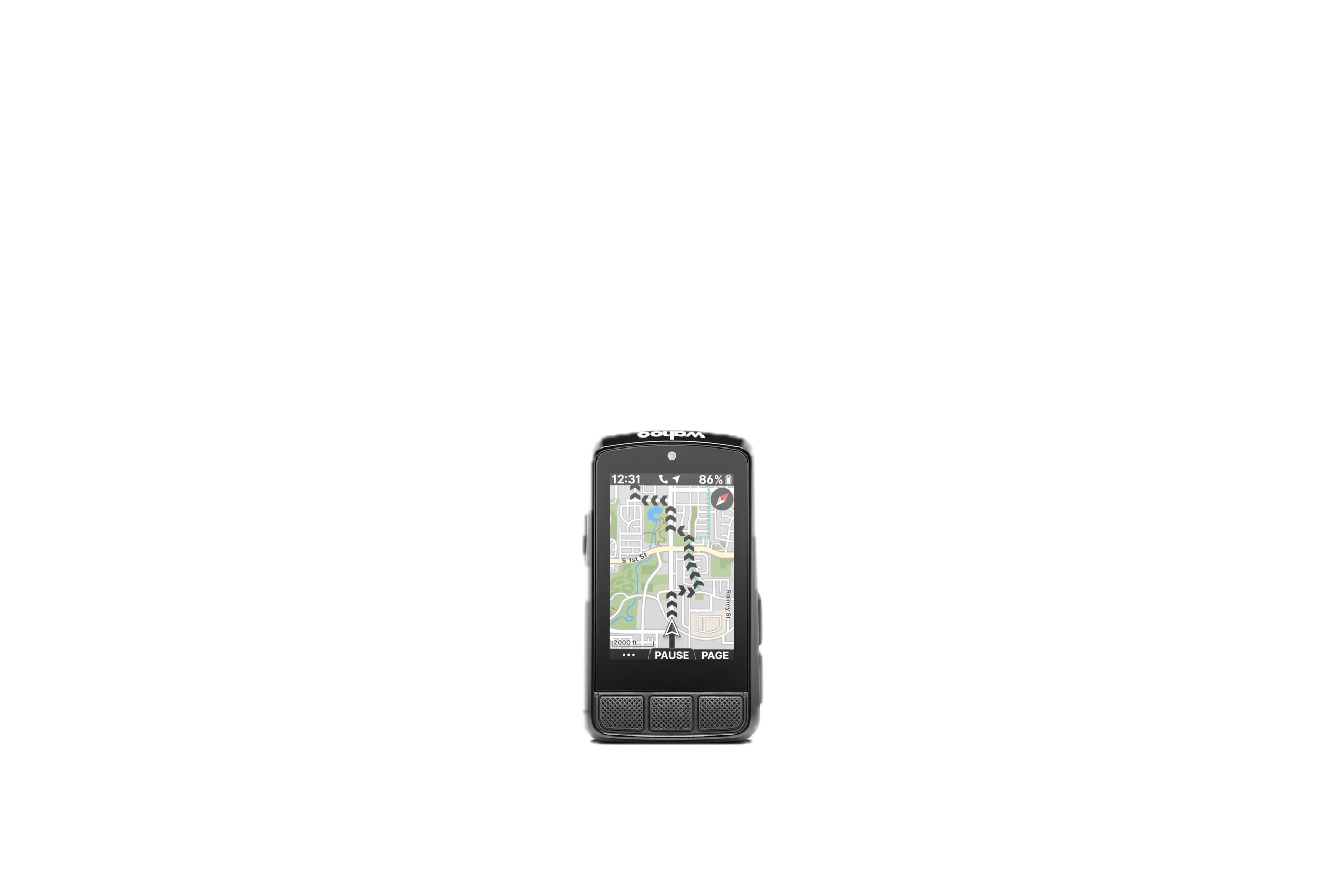
Wahoo ELEMNT Bolt V3
Key Features
- Display: 2.3-inch LCD
- Navigation: On-device turn-by-turn
- Battery life: 20 hours
- Water resistance: IPX7
- Price: Midrange
Most bike computers cost you an evening before they earn their keep. The Bolt V3 does not: pair it with the Wahoo app and the routes you have already saved in Strava, Ride With GPS, or Komoot appear on the device with turn-by-turn prompts generated for you. That easy start is the reason we reach for it, because a computer you dread configuring is a computer that stays in the drawer.
The buttons are the other half of the appeal. Five of them, each with a click you can feel through winter gloves, and an LED strip above the screen that flags an approaching turn or traffic picked up by a paired radar. We like that a whole route can be ridden without looking down for more than a second at a time — something a wet touchscreen cannot promise.
Navigation is deliberately simple: a line map with arrows and prompts rather than a full color basemap, plus Take Me To, which builds a route to a point you tap on the map. For a rider who follows a course rather than explores, that is the right trade, and it leaves battery for the part that matters — 20 hours, with an IPX7 rating so rain is not a reason to stop.
It costs about the same as the Edge 840, so the choice comes down to temperament. Garmin gives you maps, training metrics, and a deeper sensor menu; Wahoo gives you a device that sets itself up and then behaves. On a gravel ride where the route is already decided, we take the Bolt.
Pros
- Routes appear automatically from Strava and Komoot
- Positive, clicky buttons that work in gloves
- IPX7 sealing and a 20-hour battery
Cons
- Small 2.3-inch screen
The Bolt V3 is the one we hand to riders who want a computer to set itself up and then stay out of the way — buttons, routes, and not a lot of fuss.
Best for Map-First Touring
Garmin Edge 1040
Key Features
- Display: 3.5-inch color touchscreen
- Positioning: Multi-band GNSS
- Battery life: 35 hours
- Water resistance: IP54
- Price: Premium
If you navigate rather than glance, the screen is the whole argument. The Edge 1040’s 3.5-inch color touchscreen is the largest in this group, and it is the first one here we could read a junction diagram on at speed without slowing down — bright in full sun, clear through sunglasses, with road surface types drawn onto the map itself.
The 35-hour battery rating matters just as much for the riding that screen invites. Multi-band GNSS, a cycling ability score compared against a course’s demands, power targets, and ClimbPro are all on board, and it pairs with power meters, radar lights, and electronic shifting. This is the unit for the rider planning a long day on unfamiliar roads, where a flat battery is a navigation problem rather than an inconvenience.
What keeps it off the top spot is value. It is the most expensive computer we recommend, and the Edge 840 carries the same multi-band satellite technology and most of the same navigation for a lot less. The extra money buys screen and battery, which is a fair trade only if those were the things you were short of.
Pros
- Largest screen in this group at 3.5 inches
- 35-hour battery rating for long days
- Deep training and sensor support
Cons
- Software has been glitchy for some units
- Heaviest unit here at 4.4 ounces
We point map-first riders to the Edge 1040: the biggest screen here and a 35-hour battery rating that covers the longest days in the saddle.
Best for Budget Navigation
GEOID CC600
Key Features
- Display: 2.4-inch color
- Navigation: Color routes with rerouting
- Battery life: 24 hours
- Connectivity: Wi-Fi, Bluetooth, ANT+
- Price: Budget
Color navigation with turn prompts, map zoom, and automatic rerouting is usually the line between a budget computer and a serious one. The CC600 crosses it: a 2.4-inch color screen, three buttons, Wi-Fi syncing, and a GPX file you load from your phone, with the map raising a reminder as each turn approaches and recalculating when you ignore one.
That makes it the budget pick we recommend when navigation is the whole point. We were surprised how much of the premium feel survives — the Asahi glass screen is bright and easy to read at a glance, the buttons are positive, and pairing covers the usual ANT+ crowd plus electronic shifting. If you want to follow a route without paying premium money, this is the one that does it.
The seams show in setup. Menus and initial configuration take some working out, and most of it happens through the phone app, so give yourself an evening before the first route rather than ten minutes at the trailhead. Once it is configured, it stays configured.
Pros
- Color route navigation with automatic rerouting
- Wi-Fi and Bluetooth syncing
- ANT+ pairing including electronic shifting
- Bright 2.4-inch color screen
Cons
- 24-hour battery trails the data-only budget units
Our budget navigation pick: the CC600 gives you color maps, turn prompts, and rerouting at a fraction of the premium units’ cost, and asks only for patience with its menus.
Best for Data and Sensors
COOSPO BC107
Key Features
- Weight: 3.53 oz
- Sensors: ANT+ heart rate, speed, cadence
- Battery life: Up to 80 hours
- Water resistance: IP67
- Price: Budget
Eighty hours of recording time is an odd thing to get excited about until you are the person who forgets to charge. The BC107 covers weeks of commuting on a single top-up, and the auto backlight means you are not squinting at a dim screen at dusk when the ride runs long.
The rest is deliberately plain. A 2.4-inch sunlight-readable LCD, ANT+ pairing for a heart rate strap, speed and cadence sensors and a power meter, and a phone app that sets the unit up and pushes your ride file to Strava when you are done. Riders who want cadence and heart rate data without a learning curve are exactly who this is built for.
We rate it the best of the data-only budget units because it does the unglamorous things well: it finds satellites, it holds the signal, and it uploads without a fight. The display is where it shows its price. You cannot have current and average speed on screen at the same time, so you will be tapping a button to check one or the other mid-ride.
Pros
- Up to 80 hours of recording
- ANT+ pairing for heart rate, speed, cadence, power
- Straightforward Strava sync through the app
Cons
- No maps or turn prompts
We recommend the BC107 to riders who want ride data and sensor pairing with almost no charging — it is the budget unit here that asks the least of you.
Best for Budget Ride Logging
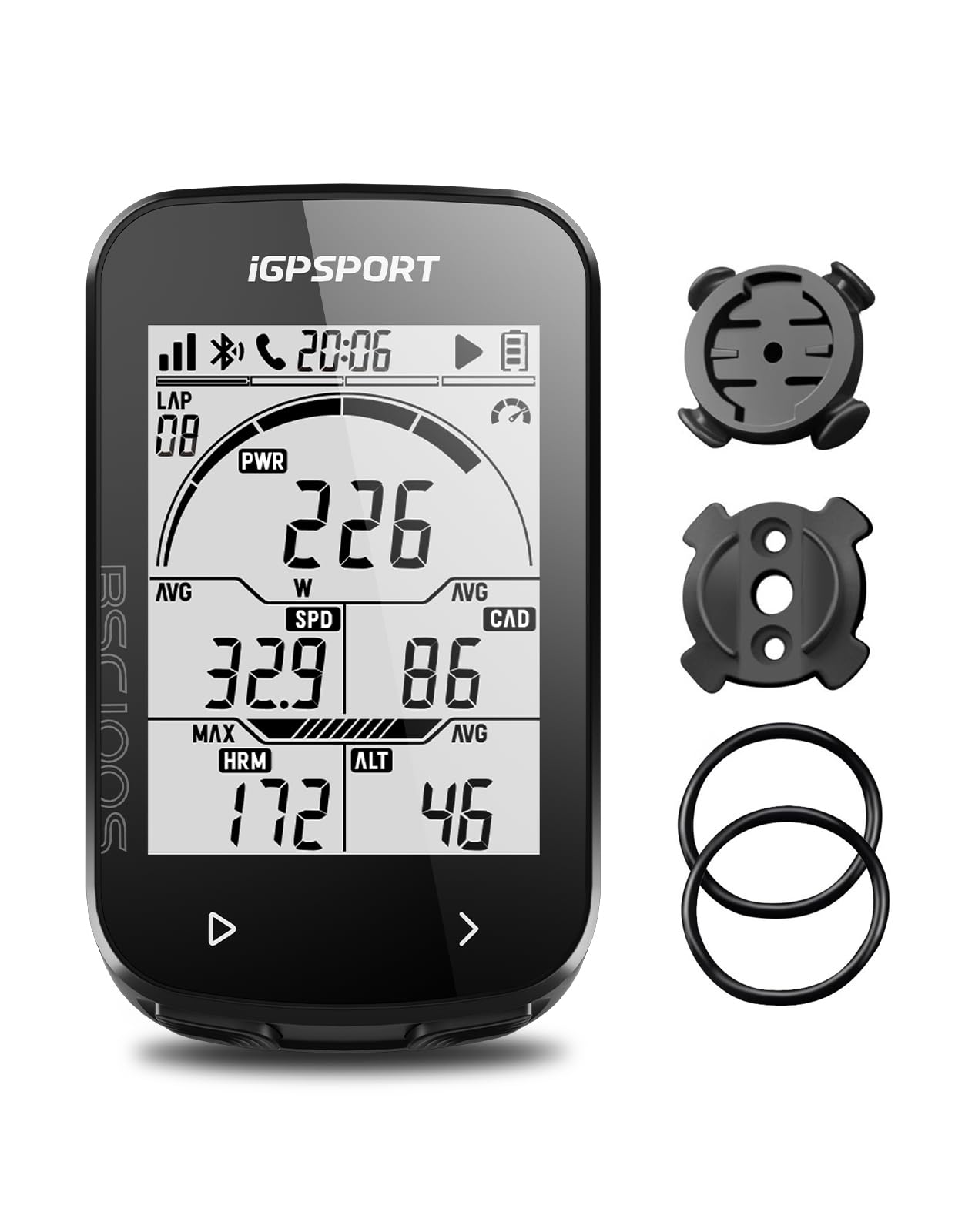
iGPSPORT BSC100S
Key Features
- Display: 2.6-inch LCD
- Battery life: 40 hours
- Connectivity: Bluetooth, ANT+
- Water resistance: IPX7
- Price: Budget
At 2.6 inches, the BSC100S has the biggest screen of any budget unit here, and it uses it well: large numerals, an auto backlight, and a layout you can take in at a glance with sunglasses on. For pure data — speed, distance, time, cadence, calories, temperature, gradient — it shows more at once than the cheaper units manage.
It also pairs with ANT+ and Bluetooth sensors and pushes your ride to Strava or Komoot through the iGPSPORT app, with 40 hours of running time and an IPX7 rating behind it. For a rider who wants numbers and a route record without spending much, that is most of the job done in one small box.
We keep it in also-consider rather than higher up because of reliability: a unit can freeze mid-ride and need a hard reset, which is annoying on a commute and genuinely ruinous in the middle of a training block. The setup is also thinner than it should be, with a manual that explains very little and an app you work out by trial.
Pros
- Large 2.6-inch screen for the money
- 40-hour battery
- Strava and Komoot sharing through the app
Cons
- Sparse setup instructions
- Phone sync can stall
The BSC100S is our pick among the cheapest data loggers for its big screen and Strava sync, as long as you can shrug off an odd reset.
Best for Climbing Data
Bikevee BKV300B

Key Features
- Weight: 1.76 oz
- Display: 2.4-inch LCD
- Elevation: Barometric altimeter, gradient
- Battery life: 28 hours
- Price: Budget
A barometric altimeter is the sort of sensor that usually appears several price tiers up. On the BKV300B it arrives alongside temperature, gradient, and accumulated ascent, which means your climbing figures come from air pressure rather than a guess from a satellite fix — and that is the difference between a number you trust and one you ignore.
The rest of the package is small and sensible: a 2.4-inch LCD with an auto backlight, 28 hours from a 650mAh battery, IPX7 sealing, and 50 grams on the bar, the lightest unit here. Auto start and stop means it logs when you roll and pauses when you stop, and Bikevee even includes an out-front mount, which is unusual at this end of the market.
Satellite acquisition is the slow part. A cold start can take a minute, and until it locks you are looking at zeros while you fiddle. Once it has a fix it holds, and with auto start and stop there is nothing to press after that — the ride simply begins when the wheels do.
For a commuter, a second bike, or anyone curious about how much climbing they are actually doing, that is a lot of information for very little money. It will not tell you where to go, but it will tell you exactly how much you climbed getting there.
Pros
- Barometric altimeter with gradient and ascent
- Lightest unit here at 50 grams
- 28 hours and IPX7 sealing
Cons
- Rubber-band base slips on thin bars
We recommend the BKV300B to riders who want real elevation and distance data on a tight budget — the cheapest way here to get a barometric altimeter on the bars.
How We Tested the Best Bike GPS Computers
We started with spec sheets and owner reviews for more than 40 computers, then cut the list by the things that actually change a ride: real maps versus a breadcrumb trail, sensor support for power meters and heart-rate straps, screen size and weight, whether the unit offers satellite messaging in an emergency, and what your money buys at each price band. Nine made the cut, and each one stayed mounted on a handlebar for the full seven months rather than being swapped in for a single afternoon.
Every unit ran the same rides: a 12-mile commute with two turns and heavy traffic, a gravel loop under dense tree cover where satellite locks usually struggle, and at least one weekend outing of four hours or more. We timed cold-start satellite acquisition with a stopwatch and watched whether the route line lagged behind us at junctions. Then we deliberately rode off course to see how fast the unit recalculated — or whether it simply announced we’d strayed.
Battery was measured, not taken on faith — each computer ran with navigation and backlight on until it shut down, and we held that against the manufacturer’s claim. We set every unit up from the box using only the included instructions, paired it with a phone, a heart-rate strap, and a power meter, and noted whether the first ride uploaded cleanly or needed a second attempt. Rain rides, dozens of mount-and-remove cycles, and a few units left on the bars for weeks told us how the screens and buttons held up to sun, dust, and wet hands. Two models dropped satellite lock in the same shaded canyon stretch; both recovered, one much faster than the other.
How to Choose a Bike Gps Computer
The first decision isn’t brand or budget — it’s whether you want to follow a route on a screen or simply record what you rode, because that single choice splits this market in two.
Navigation or data only
A data-only unit uses GPS to log speed, distance, elevation, and time, with no basemap and no turn prompts. The COOSPO BC107, iGPSPORT BSC100S, and Bikevee BKV300B here all work that way, and it is genuinely all most riders on familiar roads need. A navigation unit stores routable maps and gives turn-by-turn cues; the Garmin Edge 840 and 1040 and the GEOID CC600 do that at three very different prices.
The trap is the word GPS. Plenty of listings advertise GPS positioning and then show you nothing but numbers. If you want to follow a route, check that the unit accepts a GPX file or displays a map before you order — otherwise you are paying for satellites you will only use as a very accurate speedometer.
Screens, buttons, and the cockpit
Sunlight readability matters more than resolution. The segment LCDs on the budget units are readable in direct sun and cheap to run; color screens are far easier to navigate with and cost battery. Control is the other half: a touchscreen is quick for panning a map, but rain and thick gloves defeat it, which is why the Edge 840 and 1040 keep physical buttons alongside. The Wahoo ELEMNT Bolt V3 goes the other way entirely, with buttons only and the surest click of the group.
Mounting is the underrated part. An out-front mount puts the screen where you actually look, and rubber-band bases are quicker to fit but shift on thin bars. If the mount wobbles, you stop trusting the numbers on it.
Battery life, honestly
Battery claims assume different conditions: some are measured with the backlight low and no sensors connected. A color map screen with the backlight up will always land near the bottom of a claim. The spread here is real, though — the data-only budget units run 28 to 80 hours, while the premium navigation units run 20 to 35, and the difference is screen and mapping.
Match the rating to your longest ride, then add a margin for a cold morning and a route recalculated a few times. If you ride two hours at a time, almost anything here works. If you are planning all-day events, the 35-hour rating on the Edge 1040 stops looking like a luxury.
Sensors, apps, and getting the ride out
ANT+ and Bluetooth let the computer read a heart rate strap, speed and cadence sensors, a power meter, and radar lights. Buy for the sensors you will actually use; the budget units here already pair with the common ones, and only the premium Garmins cover the full menu including electronic shifting.
The other half is upload. Nearly all of these push rides to Strava through a phone app, and the app is where cheap units fall down — a computer that records perfectly and then refuses to sync has still lost your ride. Check that the app exports a standard .fit file, and keep the charging cable as a backup route for getting files off.
Frequently Asked Questions
Do I need a bike computer if I already use my phone?
A phone records a ride perfectly well — right up until you need the screen on for navigation on a long day, or the weather turns. Mounting a phone on the bars also puts an expensive, fragile thing in the crash zone.
For short rides in good conditions, keep the phone in a pocket. Past a couple of hours, or once you start following unfamiliar routes, a dedicated unit earns its place: it runs for days, survives rain, and leaves your phone charged for the call home.
What does a bike computer cost to own after you buy it?
Very little for the basics. Recording, uploading, and map updates on these units do not need a subscription — Garmin Connect and the Wahoo and iGPSPORT apps are free, and Strava’s paid tier is optional.
The extras add up: a heart rate strap, a cadence sensor, a spare out-front mount for a second bike, and a screen protector for a touchscreen unit. Budget for the mount first; it is the one that decides whether the computer actually gets used.
Can I use one computer on two bikes?
Yes. GPS units need no wheel magnet or spoke sensor, so there is nothing to recalibrate when you swap bikes — the computer works out speed and distance from satellites. Fit a second mount in the same fitting standard as the first.
Paired sensors stay paired to the computer rather than to a bike, so a cadence sensor on the second bike needs pairing once, not every ride. And take the unit indoors with you; a computer left on a parked bike is an easy thing to lose.
Final Verdict
If you want one recommendation, it is the Garmin Edge 840. It covers navigation, ride data, sensors, and a full day of battery without making you choose between a touchscreen and buttons, and nothing else here balances those demands as neatly.
Two riders should go elsewhere. If you mostly want a computer to record and upload without fuss, the Wahoo ELEMNT Bolt V3 does it with a smaller screen and less money. If you navigate from the map more than you read the numbers, the Edge 1040’s 3.5-inch display is worth the step up — and if the budget is tight, the GEOID CC600 still gives you color routing.