This post contains affiliate links. We may earn a small commission when you buy through our links — at no extra cost to you.
I’ve stood at the top of a rock garden with my gloves off, phone balanced on the bars, swiping for the screen I needed while my legs cooled down. That’s the moment a bike computer earns its spot: you glance down, take in speed, distance, heart rate, and which way the trail turns, and your hands never leave the grips. The right one also survives a rooty descent, a sudden downpour, and a five-hour day without begging for a charger.
Over the past eight months, my team and I have ridden with nine units, from simple sensor-based models to full mapping computers, on our usual local loops plus one long gravel weekend. What separated them wasn’t the maps — it was the small stuff: whether the mount clamped on straight the first time, whether a heart rate strap paired in one try, whether the numbers were legible at noon with sunglasses on and gloves still on your hands. Screen size matters less than what’s actually printed on that screen.



Best for Mountain Bike Navigation
Garmin Edge 540
Key Features
- Battery: Up to 26 hrs; 42 hrs saver
- Display: 2.6 in LCD
- Controls: Physical buttons
- Satellite: Multi-band GNSS
- Price: Midrange
Buttons, not a touchscreen, are what make the Edge 540 the computer we reach for when the trail turns rough. The controls are physical keys you can find with a gloved thumb, and they keep answering when the screen is spotted with rain or grit, where a touch panel starts guessing. We worked the menus with gloves on through our test rides and never needed a second, more careful press.
The rest of the package is built for the same rider. Multi-band GNSS is the specification that matters most under canopy: it holds a position in dense trees and at the bottom of a ravine, where a single-band unit starts cutting corners off switchbacks. Garmin rates the battery at 26 hours in demanding use and 42 in saver mode, so a long day with navigation running still finishes with charge in hand. The full navigation stack is here too, including ClimbPro, which shows remaining ascent and grade on every ride rather than only on a loaded course.
The cost is the interface. Menus are dense and building a data page takes a few sessions of hunting; the first two rides feel like learning a new phone. After that the layout sticks, and the payoff is a unit you never have to poke at mid-descent. That learning curve is the price of admission, and it buys a computer that behaves like a tool rather than a gadget.
Pros
- Physical buttons work with gloves and wet hands
- Multi-band GNSS holds a lock under tree cover
- Up to 26 hours with navigation running
- Full mapping with ClimbPro ascent data
Cons
- Small text on some data fields
It’s the default we point mountain bikers to: controls that work through gloves and mud, a GPS lock that survives canopy, and enough battery for a full day out.
Best for Trail Route Planning
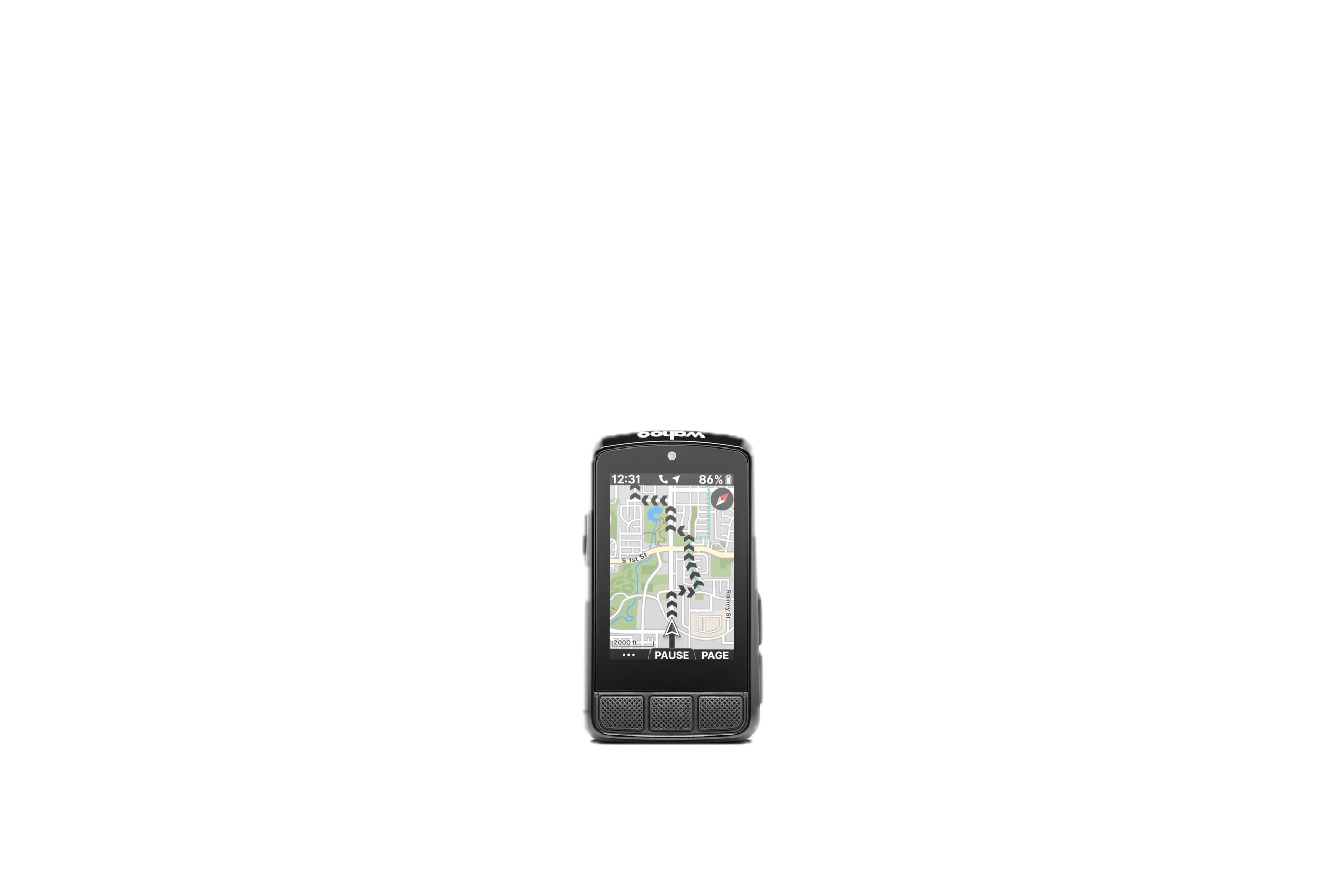
Wahoo ELEMNT Bolt V3
Key Features
- Weight: 2.96 oz
- Battery: Up to 20 hrs
- Display: 2.3 in LCD
- Navigation: Turn-by-turn with trail route sync
- Price: Midrange
The reason we keep the Bolt on the shortlist for mountain bikers is its route pipeline. Sync your accounts and saved routes arrive on the unit from Strava, Ride With GPS and Komoot, plus MTB Project and SingleTracks, so the trail network you scouted at home is already loaded when you reach the trailhead. Riders who plan around trail systems get more from that than from any extra data field.
It is also the unit we hand anyone who hates menus. Five buttons with a real click, and a screen that scrolls fields in the order you set. At 84 grams and IPX7 it disappears on the bar, and the take-me-to routing builds a turn-by-turn route to a point you pick on the map without touching a phone.
The screen is the compromise: 2.3 inches, and a map on it reads more like a sketch than a picture, so if you want to study terrain at a glance the Edge 1050 is the better tool. What you get instead is a bar-mounted device that is genuinely waterproof, light enough to forget, and quicker to a route than anything else here.
Pros
- Automatic trail-route downloads from MTB Project
- Tactile buttons that work without looking
- 84 grams and IPX7 on the bar
- On-demand routing to a point on the map
Cons
- No touchscreen, so map panning is button work
We recommend the Bolt to riders who plan around trail networks, because MTB Project and SingleTracks routes show up on the bar without a laptop in sight.
Best for Big-Screen Navigation
Garmin Edge 1050
Key Features
- Battery: Up to 20 hrs; 60 hrs saver
- Display: 3.5 in color touchscreen
- Storage: 64 GB
- Navigation: On-device course creation
- Price: Premium
Three and a half inches of bright color is the entire argument for the Edge 1050. Mounted on the bar it reads like a small tablet: trail junctions, gradient and street names all legible at a glance, and direct sun does not wash it out. It is the most readable map of anything in this group.
Around that screen sits the most complete navigation package here. You can build a course on the device with the touchscreen, see surface type on the map, receive hazard alerts from other riders, and control a paired radar tail light or smart light from the head unit. Battery is rated at 20 hours in demanding use and 60 in saver mode, which is what makes a long backcountry day realistic.
The catch, as we see it, is that everything that matters here is touch-driven. Rain beading on the glass, or muddy gloves, leaves you poking at a screen that will not answer, and that is exactly the situation a mountain biker meets. Riders who mostly ride dry trail centers and want the map readable at speed will get their money’s worth; riders who are out in all weather should look at the Edge 540 instead.
Pros
- Biggest, brightest map in this group
- Courses can be built on the device
- Controls paired radar and smart lights
- 60-hour battery saver mode
Cons
- Heaviest unit here at 5.7 ounces
We think the Edge 1050 earns its premium for riders who navigate from the bar and ride in conditions a touchscreen can handle.
Best for Budget Gps Data
CooSpo BC107
Key Features
- Battery: Up to 80 hrs
- Display: 2.4 in LCD
- Connectivity: ANT+, Bluetooth
- Water resistance: IP67
- Price: Budget
Eighty hours is the number that matters on the BC107. Where the mapping units here ask for a cable every few rides, this one runs long enough that charging becomes a seasonal chore, which suits anyone whose maintenance routine ends at washing the bike.
The rest of it is deliberately simple, and that is what we like about it. It pulls speed and distance from GPS, pairs with ANT+ heart-rate, speed, cadence and power sensors, and passes the ride to Strava through the CooSpoRide app. The 2.4-inch screen is readable in sun with an auto backlight for dusk, and IP67 covers rain and mud. For a rider who wants numbers rather than maps, it does the whole job.
Two things to know. It will not show current and average speed on the same screen, so you choose which one you glance at. And phone pairing is the weak spot: setup runs through the app, and a stubborn connection makes that more annoying than it should be. Neither is a dealbreaker when the alternative is a wheel magnet and a cable.
Pros
- Up to 80 hours per charge
- ANT+ support for heart rate, speed, cadence and power
- Strava sync through the phone app
- IP67 sealed against rain and mud
Cons
- No maps or navigation
- Cannot show current and average speed together
Eighty hours of battery and ANT+ sensor support, without paying for mapping you may never use — we recommend it to data-first riders.
Best for Simple Ride Data
CatEye Velo 7
Key Features
- Sensor: Wired speed sensor
- Weight: 1.12 oz
- Battery: Up to 3 years (alkaline)
- Display: 2.17 in LCD
- Price: Budget
Install it, set the wheel size, and forget it for three years. That is the Velo 7’s pitch, and on a mountain bike it is a better one than it sounds: no charging routine to remember before a dawn start, no pairing, no firmware. A single alkaline cell is rated to run up to three years, and auto start/stop means the clock only counts while the wheel is turning.
The 2.17-inch LCD is not big by the standards of this group, but the numbers are large and legible, and one button cycles current speed, maximum, average, trip distance, total distance and elapsed time. Setup is a wheel-circumference entry, and get that right and the distance tracking is impressively close. Our one structural complaint is the wire: the sensor mounts on the fork and the cable has to be routed and zip-tied, which is fussy on a suspension fork and one more thing to catch on brush.
So this is a computer for the rider who already knows their trails and wants a number on the bar: the bike-park regular, the commuter, the kid’s first real computer. In exchange it weighs barely more than an ounce, the battery is a once-a-season non-event, and there is nothing on it to update.
Pros
- Three years on one alkaline cell
- Large, legible numbers at a glance
- One-button operation and auto start/stop
- Simple setup with no pairing
Cons
- No GPS or navigation
- No backlight for low light
We recommend the Velo 7 to anyone who wants speed, distance and time on the bar with nothing to charge, pair or update.
Best for Budget Color Maps
GEOID CC600

Key Features
- Battery: Up to 24 hrs
- Display: 2.4 in color
- Navigation: GPX upload, reroute
- Connectivity: ANT+, Bluetooth, Wi-Fi
- Price: Budget
Color mapping with turn prompts usually means paying for the premium half of this group. The CC600 puts it at the budget end: a 2.4-inch color screen that draws your GPX route, zooms, pops a prompt at each turn, and reroutes rather than just announcing that you have left the line.
There is more here than we expected at this end of the market. Five satellite systems with assisted positioning for a faster first fix, ANT+ for sensors, Wi-Fi for syncing rides and firmware, and pairing for radar tail lights, smart lights and electronic shifting. Battery is rated at 24 hours and the unit weighs 2.61 ounces.
The interface is where the money was saved. Menus are layered and the first setup session is a hunt; a few settings only make sense once you have found them in the app. Give it an evening and the CC600 is a genuinely useful navigator for barely more than a data-only unit costs. Just do not expect it to feel like a Garmin.
Pros
- Color route navigation with turn prompts and rerouting
- External GPX route uploads
- ANT+, Wi-Fi and light or Di2 pairing
Cons
- 24-hour battery is short next to the data-only units here
We rate the CC600 for riders who want color maps and turn prompts on a budget and will put in an evening learning the menus.
Best for Data-Only Gps
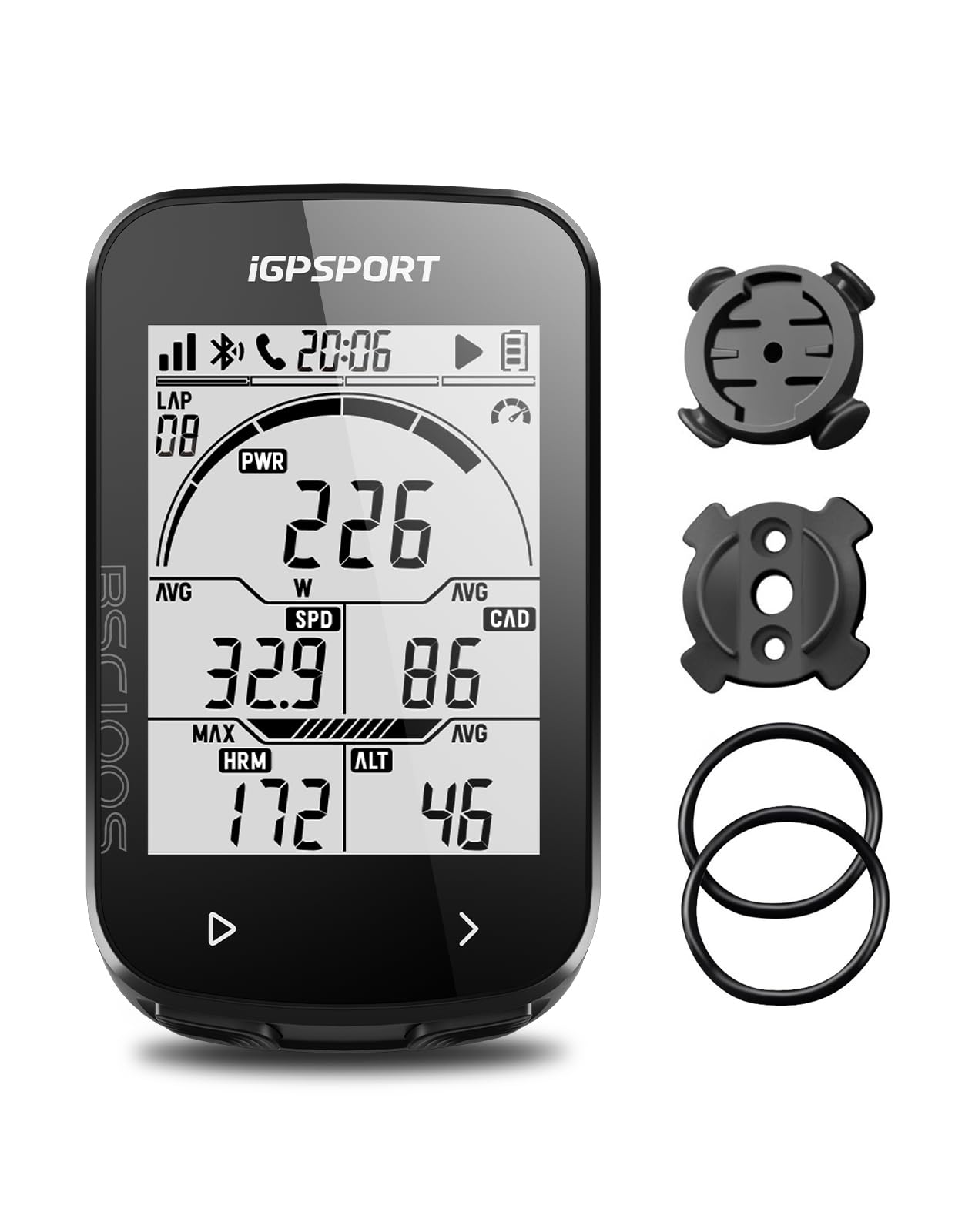
iGPSPORT BSC100S
Key Features
- Battery: Up to 40 hrs
- Display: 2.6 in LCD
- Positioning: GPS, BeiDou, GLONASS, Galileo, QZSS
- Water resistance: IPX7
- Price: Budget
What the BSC100S does not do is draw you a map. What it does is put a large, glare-resistant 2.6-inch screen on the bar, the biggest display among the budget units here, and log the ride with GPS behind 40-odd data fields.
It is well equipped for the money: five satellite systems for a quick fix, ANT+ and Bluetooth for sensors, IPX7, and a 40-hour battery charged over USB-C, though the cable is not in the box. Rides sync to the iGPSPORT app and out to Strava or Komoot.
The wrinkle is reliability. Some units freeze or stop responding early on, and a computer that needs a hard reset on ride two is the kind of failure that sours you on a brand. Our test unit ran clean, but the sensible move is to buy where returns are easy and set it up at home rather than at the trailhead.
Where it lands is straightforward. A data-first rider who wants a big readable screen, a long battery and sensor support, and who is willing to give up mapping, gets a lot of computer for the money. If maps matter at all, the GEOID draws them for about the same outlay; if battery matters more, the CooSpo runs twice as long.
Pros
- 2.6-inch anti-glare screen, the largest budget display here
- Up to 40 hours per charge
- Five satellite systems for a fast fix
- ANT+ and Bluetooth sensor support
Cons
- No mapping or navigation
- Some units freeze or stop responding
A big, readable data screen with 40 hours of battery — we recommend it to riders who want numbers, not maps.
Best for Budget Elevation Data
Bikevee GPS Computer
Key Features
- Battery: Up to 28 hrs
- Display: 2.4 in LCD
- Elevation: Altitude, gradient, ascent
- Water resistance: IPX7
- Price: Budget
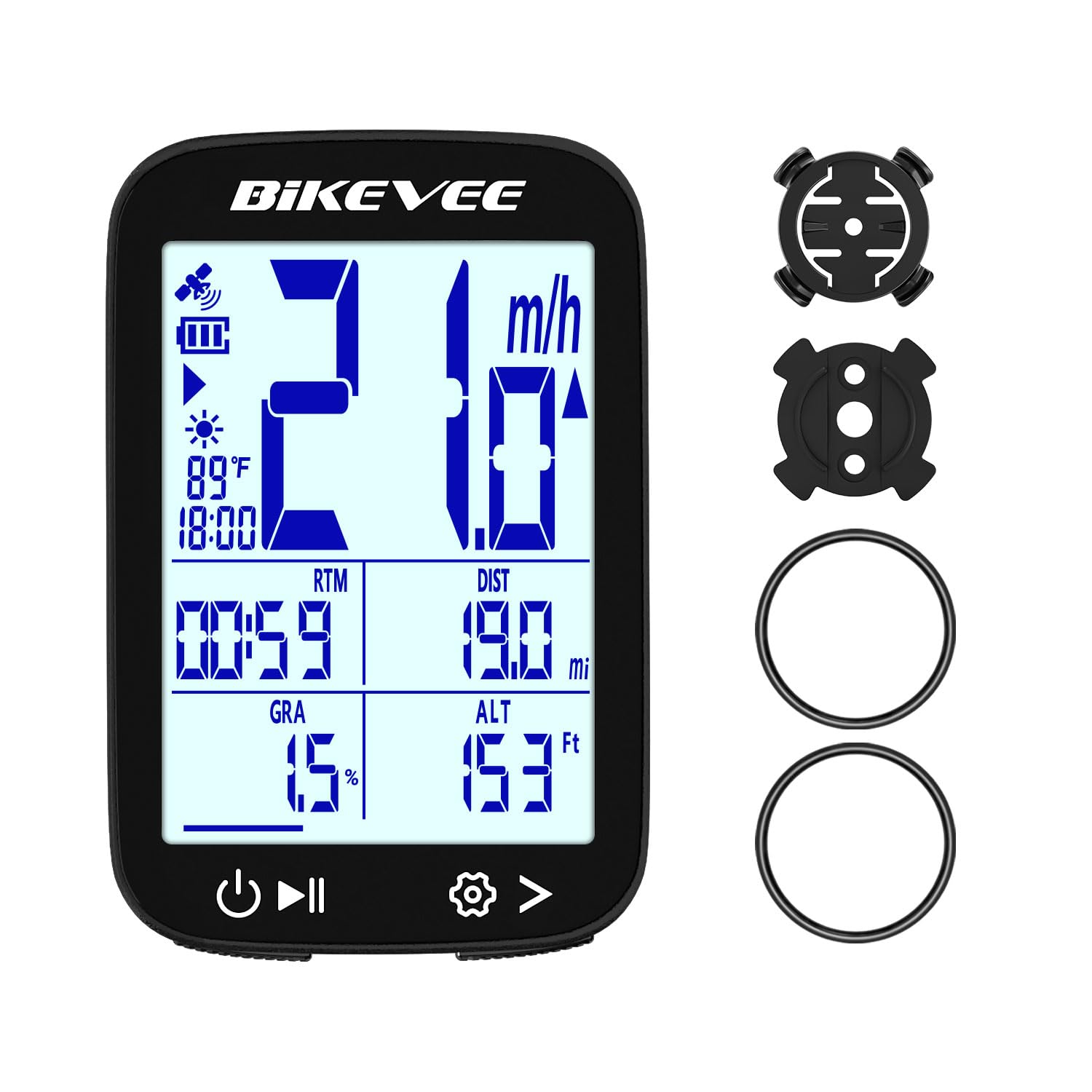
Fifty grams and a barometric altimeter are an unusual pair at the budget end. The Bikevee is the lightest computer here, and it puts altitude, gradient and accumulated ascent on screen alongside speed, distance and ride time: the numbers that make a climb legible while you are on it.
It runs on GPS alone, with no wheel sensor or spoke magnet to install, and the battery is rated at 28 hours over USB-C. The screen is a 2.4-inch LCD with an automatic backlight, and auto start/stop plus a sleep mode after seven minutes of inactivity mean you rarely touch the buttons.
One practical caveat. The satellite fix can take a while: a minute is normal in the open and longer under trees, which is where mountain bikers spend their time. Switch it on while you are pulling your helmet on and it is a non-issue.
What we came away with is that this is the budget unit for a rider who cares about climbing data more than navigation or sensor pairing. It will not route you home, but altitude and gradient on a fifty-gram computer is a genuinely useful trade for the money.
Pros
- 50 grams on the bar
- Altitude, gradient and accumulated ascent
- Up to 28 hours, charged over USB-C
- IPX7 and no wheel sensor to fit
Cons
- Rubber-ring mount can slip on some bars
Our budget climber’s pick: 50 grams, altitude and gradient on screen, and no wheel sensor to install.
How We Tested the Best Mountain Bike Computers
We started with spec sheets, sorting by GPS versus sensor-only, claimed battery life, mount standard, display size, and price against what you actually get in the box. That narrowed a long list to nine units, spanning budget sensor computers to full mapping models.
Each one went onto my own bars first — a trail bike and a gravel bike — and I installed it using only what shipped in the package, timing the job solo and noting where the instructions left me guessing about torque, wheel size, or sensor pairing. On the trail we repeated the same 12-mile loop, comparing distance and elevation against a phone recording and a known loop length, and watching whether speed wandered under tight tree cover.
Readability was judged with gloves on: how many presses to start a ride, take a lap, and stop, and whether the screen held up in direct midday sun and with rain beading on it. We paired speed, cadence, and heart rate sensors and counted the attempts, then noted which units reconnected on their own after a coffee stop and which needed a manual nudge through the menu.
Reliability showed up on the long days — a five-hour ride with GPS and heart rate running, then syncing that night to see whether the whole ride landed in the app and whether the numbers matched. Mounts got checked for wobble after rocky descents, and buttons got stabbed with muddy gloves. Value came down to mapping, sensor support, and app quality for the money, not the sticker alone.
How to Choose a Mountain Bike Computer
The right mountain bike computer is the one you can operate without taking your eyes off the trail; everything else is a feature list.
Controls You Can Work With Gloves On
On smooth tarmac a touchscreen is lovely. On a mountain bike it is a liability the moment it rains: water on the glass confuses a capacitive panel, and muddy gloves are worse. Physical buttons give you a click you can feel without looking down, which is the whole game when the trail is asking for your attention.
If you want a touchscreen anyway, expect to stop and dry the screen in wet weather. Our top pick is button-only for exactly this reason, and the trail-route specialist here uses button navigation over a small screen for the same logic.
A GPS Lock That Survives the Trees
Satellite count is the number everyone quotes and the one that matters least once you are moving. Five constellations help a unit lock on quickly at the trailhead; multi-band reception is what keeps the line honest under dense canopy and in ravines, where single-band units cut corners and under-report distance.
If your riding is mostly open ridge line, either is fine. If you spend the day under trees, multi-band is worth paying for — it is the difference between a track you trust and one you tidy up later.
Battery: Hours on the Bar or Years in a Cell
The rechargeable units here run from about 20 hours to 80, and the number that matters is your longest ride plus the drive home, not the average. Navigation and a bright backlight eat into any rating, so treat the headline figure as a best case.
The alternative is a coin-cell computer that runs for years and asks nothing of you — the right call if you only want speed and distance. These are two different products, and charging routine is the honest dividing line.
Decide Whether You Want Maps at All
Mapping is the single biggest price jump in this category, and plenty of riders do not need it. If you ride the same trail network every week, a data-only GPS gives you distance, speed, elevation and a Strava upload with far longer battery life.
Maps earn their keep when you are exploring, when a wrong turn costs an hour, or when you want turn prompts on a loaded route. Rerouting, not just a breadcrumb line, is the feature to look for.
Mounting and Reading It at Speed
Rough ground shakes computers loose, so the mount matters more than the bracket aisle suggests. Out-front mounts and zip-tied cradles hold better than rubber rings on tapered bars, and a tether is cheap insurance.
On screen size, bigger is not automatically better: three fields you can read at a glance beat eight you cannot parse. Set your main screen before the first ride, and keep the unit where a glance costs a quarter second rather than a full look down.
Frequently Asked Questions
Do I need a bike computer if I already ride with my phone?
For short rides on familiar trails, no — a phone in a pocket records the ride fine. The case for a dedicated unit is the bar: a screen you can read and operate with gloves, no drain on the device you might need in an emergency, and no risk of a crash ending your phone.
If your longest rides fit comfortably inside your phone’s battery, save the money. If you want numbers in front of you without stopping, a dedicated computer earns its place.
Are these computers actually waterproof enough for mud and rain?
Look for IPX7 or IP67, which both survive a dunking and cope with rain, mud and hose spray. Neither rating covers pressure washing, which forces water past seals that are fine in normal riding.
Check the charging port cover is seated before a wet ride — that is the usual way water gets into a bar-mounted unit.
Do I need a subscription to use one?
No. Recording a ride, following a loaded route and syncing to Strava do not require a paid tier on any unit here, and the companion apps are free to download.
Some brands offer optional premium services on top. Before you buy, check whether the specific feature you want sits behind one — the basics almost never do.
Can I move one computer between two bikes?
Yes, and it is the cheapest way to cover a second bike: buy a spare mount for the other bar and the swap takes seconds.
The exception is a wheel-sensor unit like the CatEye Velo 7, which needs its own sensor and magnet on each bike, plus the same wheel circumference entered for each. GPS units skip all of that and only need power and a view of the sky.
Final Verdict
Most mountain bikers should start with the Garmin Edge 540. It solves the three things that actually go wrong on a ride: controls you cannot work with gloves, a GPS track that wanders under canopy, and a battery that quits before the day does.
If you plan your weekends around trail networks, the Wahoo ELEMNT Bolt makes routes arrive without effort. If you navigate from the bar and ride mostly dry trails, the Edge 1050’s screen is worth the premium. And if you only want speed and distance, the CatEye Velo 7 will run for years without a charger.