This post contains affiliate links. We may earn a small commission when you buy through our links — at no extra cost to you.
A bike GPS computer can transform your rides, but the choice often comes down to a practical split: do you prioritize rock-solid simplicity or feature-packed screens? Many budget-friendly options now include color displays, sensor pairing, and even turn-by-turn directions — but their navigation software rarely matches the polish of premium models.
The most reliable units use physical buttons that work with gloves and in the rain, while touchscreen models offer richer maps and easier route browsing. Real-world battery life also routinely runs 30-50% below marketing claims, especially when you run the backlight. This guide cuts through the claim game to help you match a device to the rides you actually do.
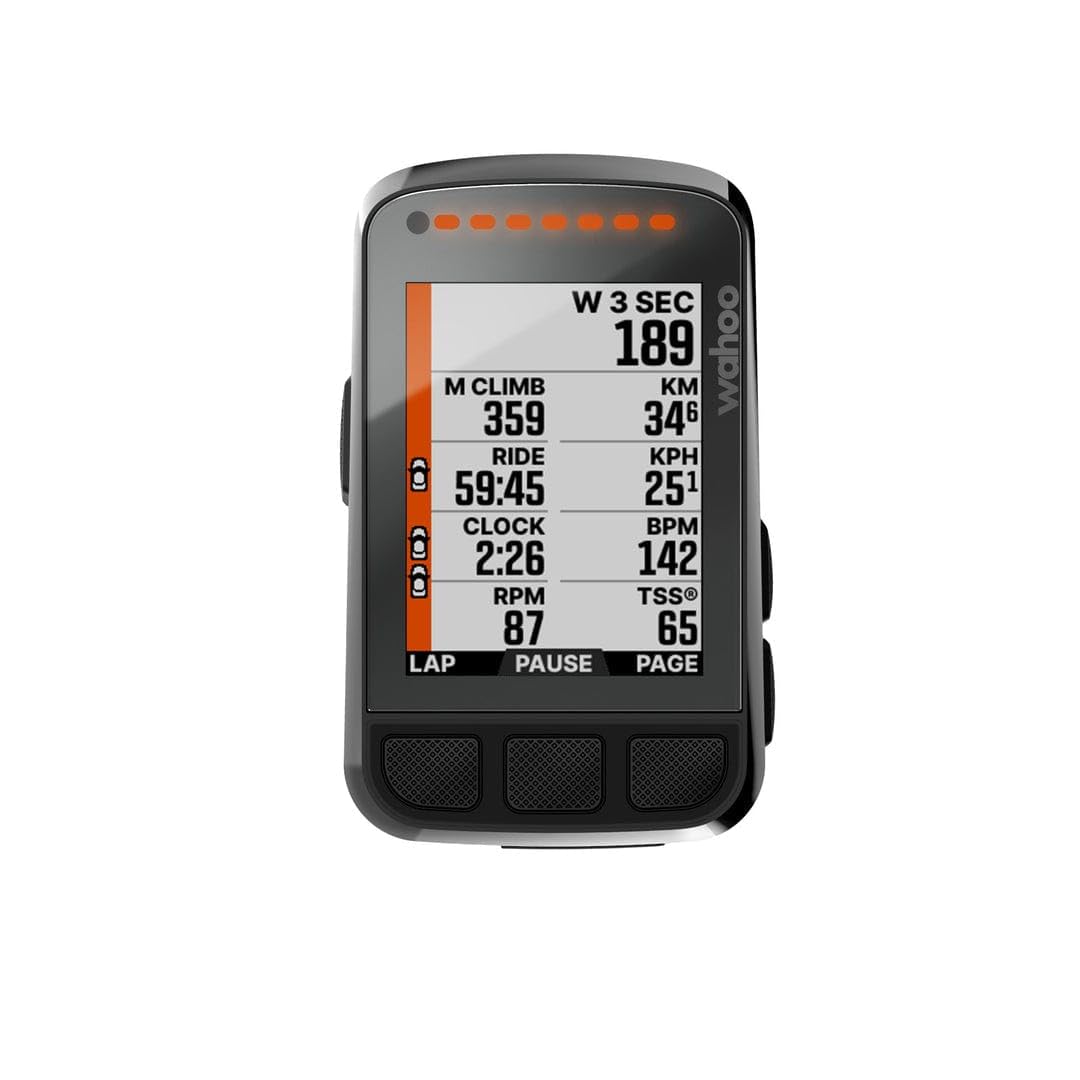


Best for Simplicity & Reliability
Wahoo Bolt V2
Key Features
- GPS Accuracy: Reliable, multi-constellation
- Battery Life: 15h claimed
- Display: 2.2 inch, button-only
- Navigation: Breadcrumb, no rerouting
- Sensor Compatibility: ANT+, Bluetooth
- Price: $$$
The Bolt V2’s six-button layout is its standout feature — each press gives tactile feedback whether you’re wearing winter gloves or riding in a downpour. Pairing with ANT+ and Bluetooth sensors takes seconds, and routes sync automatically from Strava or RideWithGPS without any cable or app management.
Battery life holds close to the 15-hour claim in mixed use, easily covering back-to-back century rides. The IPX7 rating means heavy rain or a hose-down after a muddy ride won’t cause issues. GPS lock is quick even under tree cover thanks to multi-constellation support.
This computer suits riders who want a set-and-forget tool — one that does not demand screen taps, app updates, or brightness adjustments mid-ride. If you prioritize a device that works every time over one with the latest workout suggestions or a full-color map, the Bolt V2 is a natural fit.
The tradeoff is the 2.2-inch screen: it’s small for users who need map detail or large text, and the 64-color LCD washes out in direct sun compared to newer displays. These are real boundaries — but for anyone who rides by feel and uses the device primarily for speed, distance, and heart rate, the Bolt V2’s simplicity outweighs those limitations.
Pros
- Tactile button interface works reliably with gloves and wet conditions.
- Simple setup and intuitive navigation on the fly.
- Seamless integration with Strava, RideWithGPS, and ANT+ sensors.
- 15-hour battery life covers all-day rides without needing a charge.
- IPX7 waterproof construction handles rain and post-ride cleaning.
Cons
- The 2.2-inch screen can be hard to read for riders who need larger text or map details.
- The 64-color LCD display washes out in bright sunlight, making it less legible than high-contrast screens.
The Bolt V2 earns its place by being the bike computer you don’t think about — consistent button controls, predictable battery life, and zero fuss. For riders who value that dependability over screen size or training analytics, it’s still the benchmark.
Best for Training & Navigation
Garmin Edge 840
Key Features
- GPS Accuracy: Multi-band GNSS
- Battery Life: 26h (32h saver)
- Display: 2.6 inch touch + buttons
- Navigation: Turn-by-turn, ClimbPro
- Sensor Compatibility: ANT+, Bluetooth, Wi-Fi
- Price: $$$
The Edge 840 stands apart from competitors that rely solely on buttons by offering both a touchscreen and physical controls. This dual-input system lets you swipe through menus while still having tactile buttons for gloved or wet conditions. Multi-band GPS ensures accurate positioning in challenging environments, and ClimbPro provides real-time climb data for route planning.
Real-world battery life meets claims, delivering over 20 hours of use even with navigation and sensors active. Multi-band GPS locks quickly and maintains position in tree cover or urban canyons, keeping you on course without frequent re-routing.
This computer suits riders who want advanced training metrics like power guide and adaptive coaching alongside robust navigation. The tradeoff: first-time Garmin users may find the initial setup and menu system overwhelming, and the premium pricing is hard to justify if you do not need the full training and navigation suite.
Pros
- Touchscreen and buttons work in any weather conditions
- ClimbPro and trail maps for accurate route execution
- Battery life meets real-world use expectations
Cons
- Initial setup and menu system can overwhelm first-time Garmin users
For riders who want both touchscreen and button control with advanced training features, the Edge 840 delivers, but only if you are willing to invest time in learning the interface.
Best for Value & Data Fields
iGPSPORT BSC200S
Key Features
- GPS Accuracy: Multi-satellite
- Battery Life: 25h claimed
- Display: 2.4 inch color
- Navigation: Breadcrumb, low-res
- Sensor Compatibility: ANT+, Bluetooth
- Price: $
While the top pick Wahoo Bolt V2 uses physical buttons for navigation, the BSC200S matches its sensor compatibility at a third of the price. It pairs with power meters, heart rate monitors, cadence sensors, and even radar units, then syncs effortlessly with Strava for post-ride analysis. The 2.4-inch color display is bright enough for sunny rides, and the 25-hour claimed battery covers multi-day outings without charging.
This unit targets riders who want full performance tracking — power, HR, cadence — without spending Garmin money. The tradeoff is navigation: the BSC200S uses breadcrumb-style maps with no street names or turn-by-turn prompts. It can follow a pre-loaded route, but it will not reroute you if you miss a turn. For riders who know their roads and just want a directional line on screen, that is fine. For explorers relying on detailed mapping, it is a limitation worth acknowledging.
The display maintains readability in direct sunlight, and the Bluetooth/ANT+ pairing process is simple. Some users note occasional sensor connection drops mid-ride — usually resolved by checking sensor battery levels or proximity. Otherwise, the unit tracks consistently across long rides.
Pros
- Full ANT+ and Bluetooth sensor support at a budget price
- Bright color display readable in direct sunlight
- Seamless Strava sync for post-ride data analysis
Cons
- Breadcrumb navigation lacks street names and map detail — fine for pre-loaded routes, not for rerouting
- Speed or cadence sensor connections may drop during rides
For riders who prioritize data fields over maps, the BSC200S offers premium sensor compatibility at a fraction of the cost of a Garmin Edge 130.
Best for Large Screen Navigation
iGPSPORT BiNavi
Key Features
- GPS Accuracy: Dual-band, 5 systems
- Battery Life: 35h claimed
- Display: 3.5 inch color touch
- Navigation: Turn-by-turn, offline maps
- Sensor Compatibility: ANT+, Bluetooth
- Price: $$
With a 3.5-inch color touchscreen, the BiNavi matches the screen real estate of Garmin’s flagship Edge 1050 at roughly a third of the cost. Dual-band GPS locks quickly under tree cover, and offline maps remove the need for a phone connection. Turn-by-turn directions are generally accurate, with automatic rerouting available when you miss a turn.
This computer suits tourers who want a phone-like display for following pre-planned routes on long rides, backed by a claimed 35-hour battery. However, the menu system can feel non-intuitive when adjusting settings on the fly, and some users encounter navigation glitches — such as repeated alerts or failure to recalculate — after deviating from the course. These quirks matter less if you stick to your planned route and set up rides in the app beforehand.
The large, bright screen remains readable in direct sunlight, and the dual-band GPS maintains positional accuracy in challenging terrain. For riders who value map clarity over button-based simplicity and are willing to work around the occasional interface hiccup, the BiNavi delivers strong navigation performance at a mid-range price.
Pros
- Large 3.5-inch touchscreen stays readable in direct sunlight, with clear map detail for navigation.
- Dual-band GPS and offline maps at a price well below Garmin’s mid-tier options.
- Turn-by-turn directions handle most routes consistently, with rerouting when you go off course.
Cons
- In complex menu navigation or on-the-fly route changes, the interface can feel unintuitive — fine for simple rides where you set routes beforehand.
- When you stray from the planned route, the device may produce repeated alerts or fail to recalculate — less noticeable on trips where you stick to the course.
The BiNavi is a strong alternative for riders who prioritize a large, clear map display and long battery life over button simplicity — but the occasional navigation quirks and learning curve make it a better fit for planned touring than spontaneous exploration.
Best for Endurance & Training
Garmin Edge 540
Key Features
- GPS Accuracy: Multi-band GNSS
- Battery Life: 42h saver mode
- Display: 2.6 inch, button-only
- Navigation: ClimbPro, advanced
- Sensor Compatibility: ANT+, Bluetooth, Wi-Fi
- Price: $$$
The Edge 540 delivers Garmin’s advanced training metrics — ClimbPro, power guide, multi-band GNSS — in a package that runs for up to 42 hours on a charge. No other compact computer matches that stamina while still offering the same depth of data field customization and route planning.
Serious road cyclists who want every training metric and refuse to stop for a charge mid-century will find a strong partner here. The tradeoff: the button-only interface requires patience. Menus can feel cluttered, and adjusting data fields or navigating routes while riding demands a learning period. Riders who prefer touchscreen convenience or gloved-friendly interaction should look at the Edge 840 or stick with Wahoo’s simpler Bolt V2.
GPS lock is fast even under heavy tree cover, and tracks stay precise on winding roads. Battery life easily handles multi-day tours or back-to-back long rides. For those willing to invest time in setup, the training insights — especially ClimbPro’s grade and remaining distance — become a daily tool for structured workouts.
Pros
- GPS tracks remain precise under dense tree cover and urban canyons.
- Battery life covers centuries and multi-day rides without recharging.
- ClimbPro and power guide provide actionable climb data and pacing targets for interval training.
Cons
- Button responsiveness requires more force than expected, which can be awkward with thick winter gloves.
- Menu system can feel cluttered and non-intuitive, especially when adjusting data fields mid-ride.
For the rider who prioritizes battery endurance and training depth over interface polish, the Edge 540 is a capable tool. Anyone else will find less friction in the Wahoo Bolt V2.
Best for Budget Speed Tracking
CYCPLUS G1

Key Features
- GPS Accuracy: Slow cold-acquisition
- Battery Life: 50h claimed
- Display: 2 inch LED
- Navigation: None (speed/distance only)
- Price: $
The CYCPLUS G1 delivers clear speed and distance readouts on a bright LED screen that remains readable in sunlight, and its battery easily handles multiple long rides without recharge. For casual riders or commuters who just want to know how far and how fast they’ve gone, that’s a solid value at this price point.
However, the GPS lock is noticeably slow — expect to wait a couple of minutes after power-on before you see your data. There is no ANT+ or Bluetooth, so heart rate monitors, cadence sensors, and power meters are out of reach. This makes the G1 a poor fit for anyone needing navigation or performance analysis. It works best as a spare unit for quick loops or a starter device for budget-conscious riders who accept these limits.
Pros
- Budget-friendly price for basic speed and distance tracking.
- Large numbers on a clear LED screen readable in bright sunlight.
- Battery lasts multiple long rides on a single charge.
Cons
- On cold starts, acquiring GPS signal can take several minutes.
- No ANT+ or Bluetooth — cannot pair with heart rate monitors or power meters.
A capable spare or starter unit for casual riders who only need speed and distance, but skip it if you want navigation or performance data.
Best for Budget Touchscreen
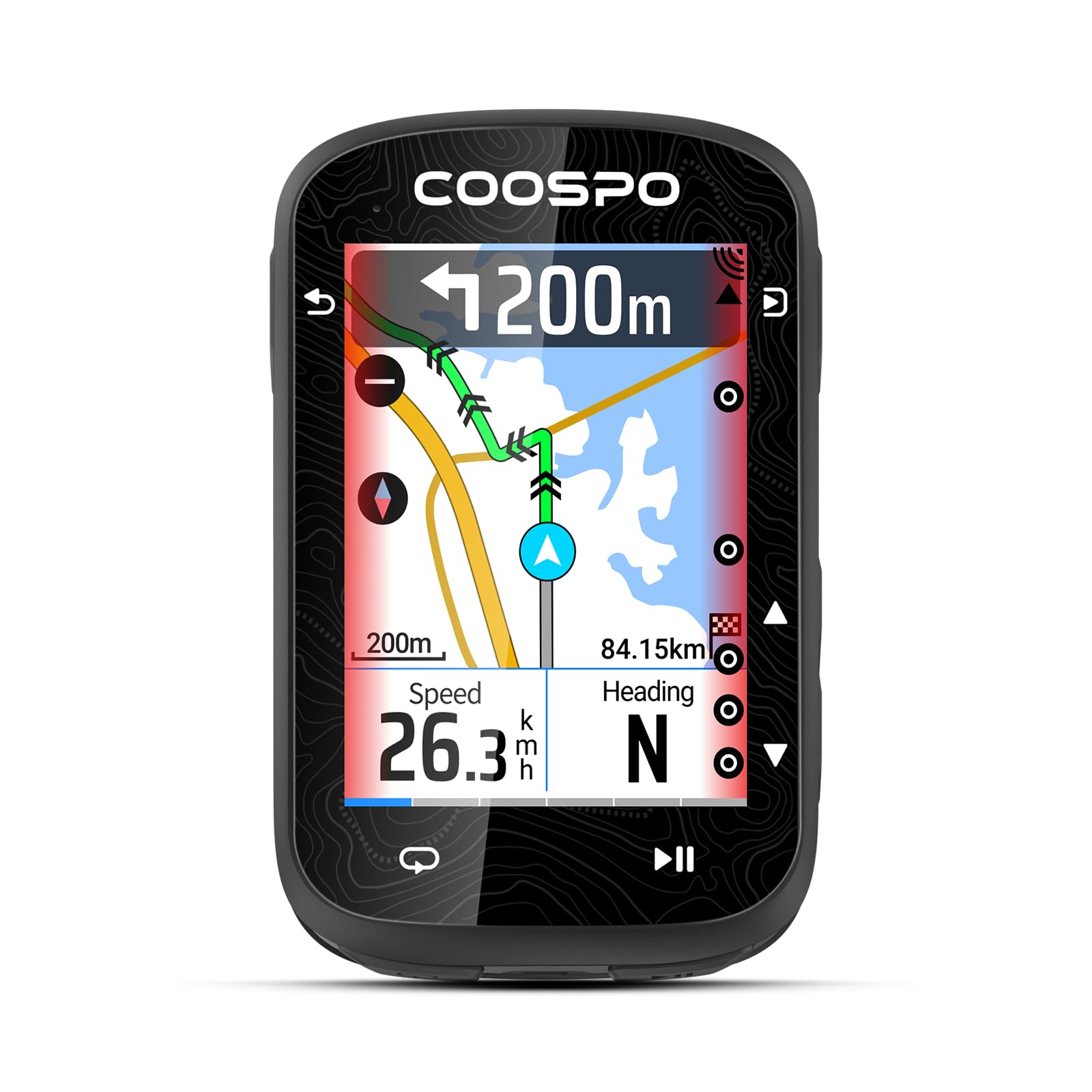
COOSPO CS600
Key Features
- GPS Accuracy: GPS + GLONASS
- Battery Life: 36h claimed
- Display: 2.4 inch color touch
- Navigation: Breadcrumb, no reroute
- Sensor Compatibility: ANT+, Bluetooth
- Price: $$
The CS600 delivers a large color touchscreen, long battery life, and consistent sensor pairing at a price that undercuts premium models. Navigation relies on breadcrumb trails without rerouting, and the screen can be difficult to read in shade or with polarized glasses. This suits riders who primarily record rides and want a big display, not those who need turn-by-turn directions.
Pros
- Color touchscreen and 36-hour battery at a mid-range price
- Straightforward setup with intuitive touchscreen and companion app
- Seamless pairing with Garmin Varia radar, Di2, and Strava sync
Cons
- Breadcrumb-only navigation without rerouting – fine for pre-planned routes, not for on-the-fly directions
- Screen readability drops in deep shade or when using polarized sunglasses
Best for budget-conscious riders who want a large touchscreen and long battery for recording rides, without needing detailed navigation.
Best for Premium Feel, Low Cost
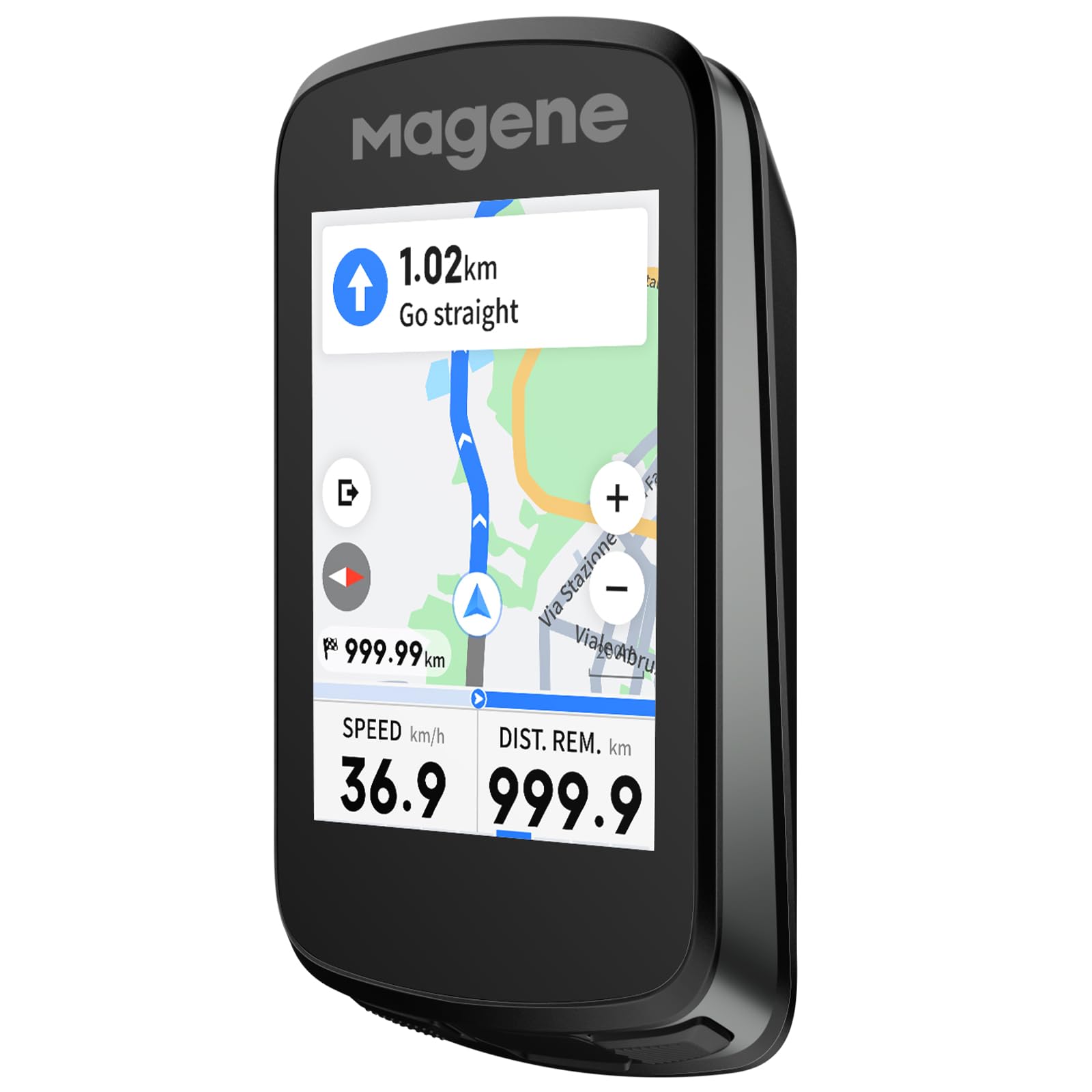
Magene C606 V2
Key Features
- GPS Accuracy: Multi-satellite
- Battery Life: 25h claimed
- Display: 2.8 inch color touch
- Navigation: ClimbPro-like, buggy
- Sensor Compatibility: ANT+, Bluetooth, Wi-Fi
- Price: $$
The Magene C606 V2 delivers a premium feel and responsive touchscreen that competitors at twice the price would envy. The 2.8-inch display is easy to read even in rain, and the battery comfortably lasts through a full day of riding. However, the ClimbPro implementation isn’t as reliable as Garmin’s — climb detection can be inaccurate and navigation may glitch during route changes. Sensor pairing, including with Magene’s own power meters, has been noted to fail in some cases. This makes the unit better suited for riders who want a polished recording device with a quality screen, rather than a dependable navigator.
Pros
- Build quality feels more expensive than the price suggests
- Touchscreen stays usable in wet conditions
- All-day battery life for most rides
Cons
- ClimbPro and navigation can be inaccurate during route changes, unlike Garmin’s version
- Occasional pairing failures with power meters, including Magene’s own brand
Best for riders who prioritize screen quality and build over navigation reliability, and don’t mind working around occasional sensor hiccups.
Best for Luxury & Group Rides
Garmin Edge 1050

Key Features
- GPS Accuracy: Multi-band GNSS
- Battery Life: 20h (60h saver)
- Display: 3.5 inch color touch
- Navigation: Full mapping, speaker
- Sensor Compatibility: ANT+, Bluetooth, Wi-Fi
- Price: $$$$
The Edge 1050’s 3.5-inch color screen is the brightest and most vivid on any cycling computer, readable even under direct sun. The built-in speaker makes turn prompts and a bike bell useful without glancing down, and group-ride features like in-ride messaging add social depth. Battery life in demanding use is 20 hours, which may require a mid-ride charge for longer days. This is for enthusiasts who prioritize the best display and integrated speaker over endurance and may accept occasional software hiccups — but most riders will find the Edge 840 offers a better balance of features and reliability for hundreds less.
Pros
- Brighter, more vivid display than any competitor, with excellent sunlight readability.
- Responsive touchscreen interface that is quick and clean to navigate.
- Built-in speaker provides audible turn prompts and a bike bell, boosting safety and convenience.
Cons
- Price premium over the Edge 840 is steep for incremental upgrades in display and speaker.
- Some units can freeze or reboot mid-ride, which may interrupt navigation mid-ride.
For riders who want the brightest screen and a speaker for turn prompts and group messaging, the Edge 1050 delivers — but the high cost and occasional software bugs make it a luxury choice rather than a practical everyday companion.
Best for E-Bike Navigation
Garmin Edge Explore 2

Key Features
- GPS Accuracy: Single-band GPS
- Battery Life: 16h claimed
- Display: 3 inch color touch
- Navigation: Reroute, POI search
- Sensor Compatibility: ANT+, Bluetooth, Wi-Fi
- Price: $$
The Edge Explore 2 offers strong navigation with automatic rerouting and POI search. Its 3-inch color touchscreen is easy to read on the road, and the e-bike compatibility includes battery-aware routing that adjusts for your ride range. Pair this with safety features like incident detection and it becomes a capable guide for explorers who prioritize maps over training metrics.
The interface can feel overly complicated for a navigation-focused device — riders who prefer a simple button press may find the multi-step menu system frustrating. Battery life also falls short of the claimed 16 hours in real-world use; on long all-day rides without access to charging, you may need to top up mid-route. These limitations are manageable if you treat the Edge Explore 2 as a dedicated navigator rather than an all-day training computer.
Pros
- Strong navigation with automatic rerouting and point-of-interest search.
- E-bike battery routing adjusts navigation to match your ride range.
- Large 3-inch color touchscreen for easy on-bike viewing.
Cons
- Multi-step menu navigation can feel overly complex for a device focused on routing.
- On long all-day rides without charging access, the battery may require a mid-route top-up.
For e-bike riders who need battery-aware routing or cyclists who want a dedicated navigator as a second unit, the Edge Explore 2 delivers solid navigation — just don’t expect it to double as a training computer.
How to Choose
The spec sheet never tells you how fast a unit locks satellites on a cold morning or how many hours you’ll actually get with the backlight on.
GPS Acquisition Speed and Accuracy
Cold-start lock times vary widely — budget models can take several minutes, while multi-band units lock in seconds even under tree cover. Multi-band GNSS (GPS+GLONASS+Galileo) provides the most reliable tracking in canyons or dense woods.
Single-band GPS is fine for open roads but will show track wobbles in challenging terrain. If you ride urban canyons or mountain singletrack, invest in a multi-band receiver.
Battery Life: Claimed vs. Real-World
Manufacturer battery claims often assume battery-saver mode (dim screen, limited GPS polling). Real-world endurance with the backlight on and continuous satellite tracking is typically 30-50% lower. For reference, a 20-hour claim often delivers 12-14 hours in normal use.
If you routinely ride over 6 hours, prioritize units with 25+ claimed hours or a battery-saver mode that still tracks. For multi-day tours, look for models with replaceable battery packs or USB-C charging on the go.
Screen Quality: Touch vs. Buttons
A bright color touchscreen makes map browsing effortless but becomes unreliable with wet hands, gloves, or rain. Physical buttons work in any condition and let you scroll through data fields without looking — a safety advantage on busy roads.
Screen size also matters: 3.5-inch displays are phone-like but add weight and battery drain. A 2.2-inch monochrome screen is lighter and more power-efficient but harder to read at a glance. Choose based on how much time you spend staring at the display versus riding.
Navigation Capability
Breadcrumb navigation shows a simple line on a blank background — enough for pre-planned routes but useless for spontaneous detours. Full turn-by-turn with rerouting requires detailed maps stored on the device, which adds cost and complexity.
Most budget units claim navigation but deliver low-resolution maps without street names. If you frequently ride unfamiliar areas, pay extra for a unit with proper map rendering and automatic recalculation.
Sensor Compatibility
ANT+ and Bluetooth allow pairing with heart rate monitors, power meters, cadence sensors, and even bike radar. Many budget models now include both protocols, but some lack support for specific sensors like Di2 shifting or Garmin Varia radar.
If you already own sensors or plan to add them, verify compatibility before buying. Garmin’s ecosystem is the most extensive, but iGPSPORT and Magene now support most popular sensors at a much lower price.
FAQ
Why does my bike GPS take so long to connect to satellites on cold mornings?
Cold starts require the GPS receiver to download almanac data, which takes longer if the unit has been off for days or is in a pocket. Multi-band receivers with assisted GPS lock on faster. To speed up, turn on the device a few minutes before you start riding and keep it stationary with a clear view of the sky.
Can a cheap bike computer under $50 give me turn-by-turn directions?
No, true turn-by-turn navigation requires detailed offline maps and routing algorithms that only appear in units above $100. Budget models under $50 offer only speed and distance tracking, sometimes with a simple breadcrumb line if you upload a route. If you need vocal turn prompts or rerouting, plan to spend at least $120.
Is a touchscreen bike computer better than a button-operated one for mountain biking?
For mountain biking, buttons are generally better because they work with gloves, mud, and rain without accidental inputs. Touchscreens are more convenient for browsing maps before a ride but often become unresponsive with wet fingers or while bouncing over roots. If you only ride road and fair weather, a touchscreen is fine.
How accurate is elevation gain on GPS bike computers compared to barometric altimeters?
GPS-only elevation uses satellite triangulation, which can drift significantly (10-20% error) in hilly terrain or under tree cover. Barometric altimeters measure air pressure and are far more accurate for climbing data — within 1-3% on long ascents. Most premium units (Garmin Edge 540/840, Wahoo Bolt V2) include both; budget models rely solely on GPS and will over- or under-report elevation.