This post contains affiliate links. We may earn a small commission when you buy through our links — at no extra cost to you.
A cycling computer does one deceptively simple job: it turns the ride you just finished into numbers you can glance at and learn from. What separates one unit from another isn’t the sensor list on the box — it’s whether the screen reads clearly in flat afternoon light, and whether you can find the start button wearing winter gloves. Get that right and every ride becomes legible: you know what you did, where you went, and what to change next week.
I’ve had a computer on my bars for a decade, and the pattern never changes: two weeks of setup, then six months of trust. My team and I spent the last seven months riding nine different units on commutes, gravel loops, and a couple of long, ugly centuries, and the ones that won us over weren’t the ones with the longest feature list. The thing nobody tells a first-time buyer: a bigger display only earns its space if the layout uses it — a roomy screen crammed with eight tiny fields is harder to read than a small one showing three. The picks below are the ones we’d bolt to our own bikes.




Best for All-Round Riding
Garmin Edge 540
Key Features
- Display: 2.6 inches
- Storage: 16 GB
- Positioning: Multi-band GNSS
- Battery life: 26 hours
- Price: Premium
Twenty-six hours is the number that settles it for us. That covers a week of commuting plus a long weekend without a charger, and it stretches to 42 hours in saver mode if you’re heading out overnight. Other computers here will get you through a Sunday; the Edge 540 quietly gets you through the month.
The navigation justifies the price. Multi-band GNSS holds a position under tree cover and in valleys where a single-band unit starts to wander, and ClimbPro shows the ascent and gradient ahead on any ride with no course loaded. On a training loop we rate that above a color map: you get the shape of the climb without planning the route first, and turn prompts arrive from routes built in the Garmin Connect app.
Those are buttons on the face, not a touchscreen, and after a wet spring we’re glad of it — a gloved thumb pages through data fields without smearing the glass. Sensors pair over ANT+ and Bluetooth: heart rate, power, cadence, and radar or smart lights that can be controlled from the head unit. There’s 16 GB for maps, more storage than most riders will ever fill.
One small thing we came to appreciate: a tether ships in the box. Loop it around the bar and a knocked mount costs you a re-clip rather than a new computer.
Pros
- 26-hour battery, 42 in saver mode
- Multi-band GNSS holds position under cover
- ClimbPro shows ascent and grade without a course
- Tether included for mount security
Cons
- Menu tree takes an evening to learn
- No touchscreen at this price
We recommend the Edge 540 to riders who want dependable navigation, a battery that outlasts the week and buttons that work in the rain.
Best for Big-Screen Touring
Garmin Edge 1050
Key Features
- Display: 3.5 inches
- Storage: 64 GB
- Positioning: GPS, GLONASS, Galileo
- Battery life: 20 hours (60 in saver)
- Price: Premium
The 3.5-inch screen is the whole argument, and the first time you clip it on you’ll wonder whether it belongs on a handlebar at all. It is enormous, and we loved it: bright enough to read in direct sun, big enough to see a junction on the map rather than a line, and responsive to a light tap instead of a press.
Beyond the glass, this is the deepest computer in the group. You can build a course on the device by dragging on the screen, see road-surface type on the map, receive hazard alerts flagged by other riders, and control a radar tail light from the head unit. The built-in speaker reads prompts aloud, which sounds gimmicky until you’re descending and don’t want to look down.
Setup is the chore: the menus are dense, and the settings you actually want — data fields, sensor pairing, activity profiles — reward an evening with the app before your first ride. Do that on the sofa rather than at the trailhead. Storage runs to 64 GB, which leaves room for maps, workouts and a season of rides.
Pros
- 3.5-inch color screen readable in direct sun
- Courses can be built on the device
- Controls radar and smart lights
- Speaker reads turn prompts aloud
Cons
- Touch input stalls with rain on the glass
- Battery runs 20 hours in demanding use
Buy it if the screen is what you notice most: nothing in this group is easier to read in sunlight, and the mapping tools run deeper than anything else here.
Best for Simple Setup
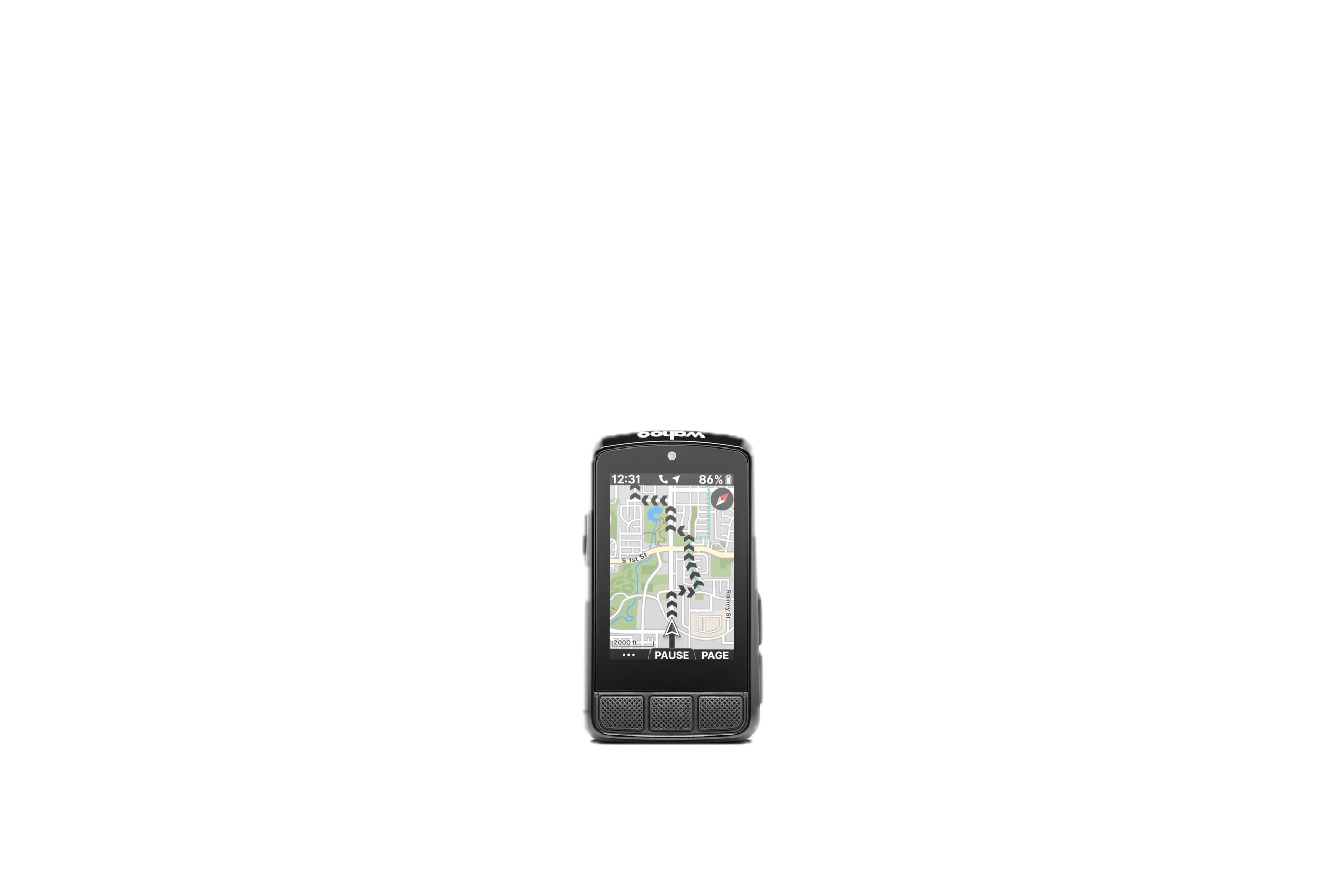
Wahoo ELEMNT Bolt V3
Key Features
- Weight: 2.96 oz
- Display: 2.3 inches
- Battery life: 20 hours
- Waterproofing: IPX7
- Price: Premium
Setup on the Bolt is a phone job, and that’s the point: open the Wahoo app, let it find the unit, tick the sensors you want and lay out your pages, and the riding part starts. At 84 g it barely registers on the bar, and the mount goes on without tools.
The physical buttons are the other half of the appeal — a firm, clicky press you can find through a glove, with pages that scroll in a straight line rather than a tree. At speed, that’s the difference between a glance and a fumble.
Routing is where it earns its keep. Turn-by-turn prompts come from GPX and TCX files and from routes pulled in from Strava or Komoot, and the Take Me To feature builds a route to a point you pick on the map, with no planning beforehand. Pair a radar and the screen shows traffic behind you; pair an SRAM AXS drivetrain and it shows the gear you’re in and the battery left in it — a detail we didn’t expect to check as often as we do. Twenty hours of runtime and an IPX7 body cover the rest.
Pros
- Setup handled entirely through the phone app
- Tactile buttons work through gloves
- On-demand routing to a map point
- Gear and AXS battery display
Cons
- Smallest screen in this group
The Bolt suits the rider who wants the app to do the thinking: quick setup, tactile buttons and dependable routing in the smallest body here.
Best for Value Navigation
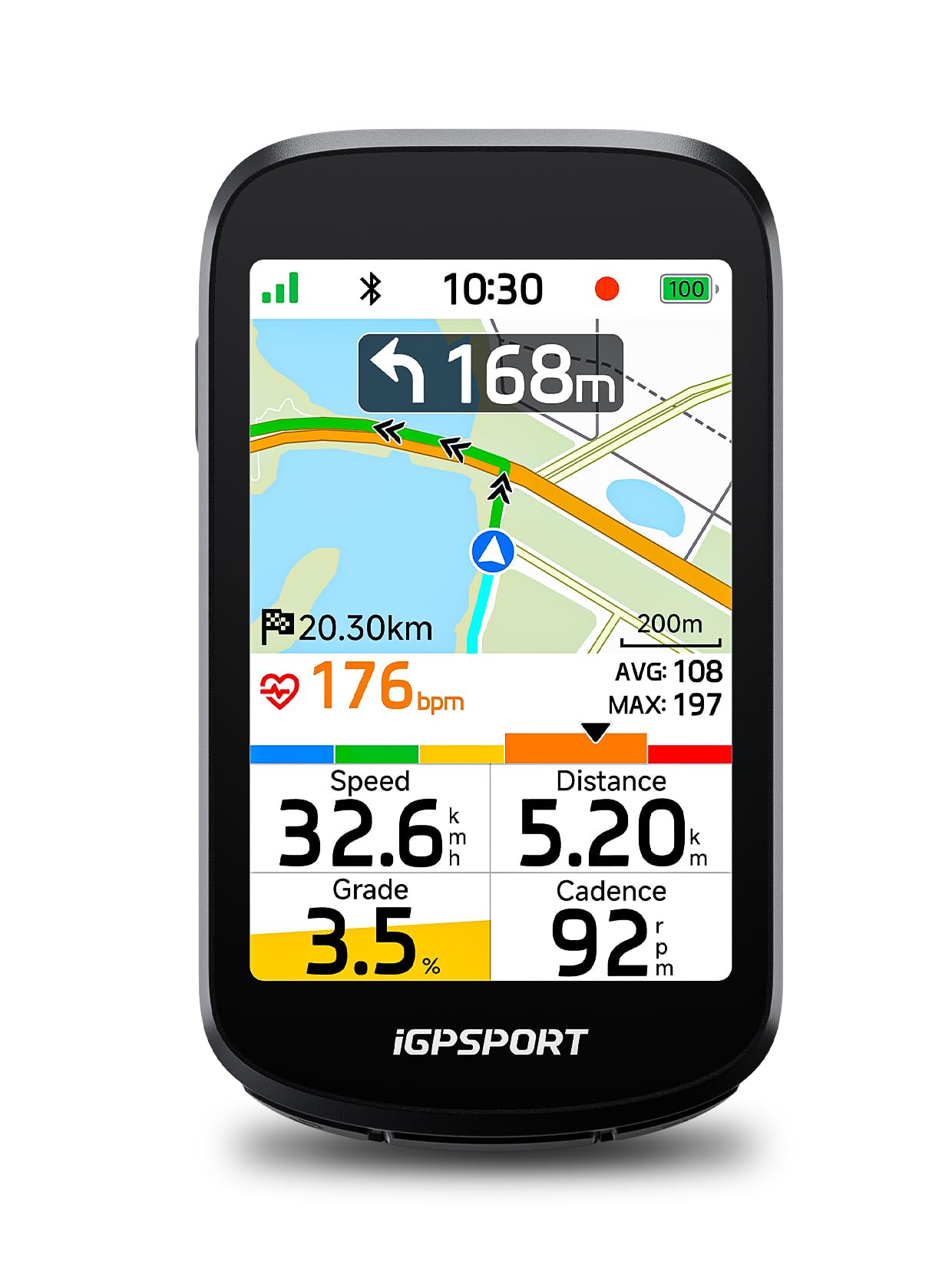
iGPSPORT BSC500
Key Features
- Display: 3.3 inches
- Positioning: Dual-band, five satellites
- Battery life: 24 hours
- Waterproofing: IPX7
- Price: Midrange
A 3.3-inch touchscreen with real maps for a fraction of what the premium units cost is the headline, and the BSC500 doesn’t feel like a cut-down version of the idea. The screen is bright in direct sun, the maps are real maps, and there are physical buttons below it for the times your hands are wet.
Positioning is dual-band across five satellite systems, the same approach the expensive units take: quicker locks and less drift between buildings. Turn prompts arrive earlier the faster you go, and if you leave the route the unit plans a new one on its own. GPX files import from Strava and Komoot, and it will drive a radar tail light.
The lesson from our first week was to cut the default pages down. Twelve data fields on a page is more than anyone reads at speed, and four or five is the number we settled on. Battery is a listed 24 hours, the body is IPX7, and the touchscreen keeps working with damp fingers.
Pros
- 3.3-inch touchscreen with backup buttons
- Dual-band positioning across five systems
- Automatic rerouting and speed-aware turn alerts
- Radar light and Strava or Komoot import
Cons
- Routes must be built in the phone app first
We point value-minded navigators here: real maps, rerouting and a big touchscreen for a fraction of the premium price.
Best for Basic Data
CATEYE Velo 7
Key Features
- Weight: 1.12 oz
- Display: 2.17 inches
- Battery life: 3 years
- Connectivity: Wired speed sensor
- Price: Budget
Three years on one battery is the sort of number that makes the rest of this group look high-maintenance. The Velo 7 is a wired speedometer and odometer with a coin cell behind the screen, and the thing you never do with it is remember to charge it.
It measures what most people actually want: current, average and maximum speed, trip and total distance, elapsed time and a clock. Auto start/stop is the nicest touch — stop at a light and the timer stops with you, so your average isn’t punished for a coffee.
Installation is a zip-tie job: sensor on the fork, magnet on a spoke, wire up to the bracket. The setting that decides whether you’ll trust it is wheel circumference in millimeters, and it’s worth doing a rollout — valve at the bottom, one revolution, measure it — rather than copying the sidewall number, because a loaded tire sits lower than the chart assumes.
Buy it for the bike you don’t think about: the commuter, the second bike, the one that lives outside. Spend the difference on a good lock.
Pros
- Three-year battery, no charging
- Large, sun-readable LCD
- Auto start/stop pauses with you
- Low-cost way onto a second bike
Cons
- No GPS and no ride uploads
- No backlight for dusk riding
For speed and distance with no charging, no pairing and no fuss, this is the computer we put on a commuter and stop thinking about.
Best for Budget Training
COOSPO BC107
Key Features
- Display: 5.84 centimeters
- Battery life: 80 hours
- Connectivity: ANT+, Bluetooth
- Waterproofing: IP67
- Price: Budget
No map, no color, no touchscreen: the BC107 puts its money into battery and sensor support instead. That’s a fair trade if the numbers you care about are speed, distance, heart rate and cadence rather than a route.
Eighty hours of runtime is the standout, and it means charging is a monthly chore rather than a weekly one for most riders. The ANT+ radio picks up heart-rate straps, speed and cadence sensors and power meters, the FSTN screen has an auto backlight so it stays readable in sun without blinding you at dusk, and setup plus Strava uploads run through the CooSpoRide app over Bluetooth.
The 2.4-inch screen shows a lot, arranged in segments rather than a map, so a glance gives you speed and distance without hunting. IP67 covers rain, the mount is a plain handlebar clamp, and at 100 g it doesn’t waggle over rough tarmac. For riders who want a record of every ride without thinking about charging, this is the value pick of the group.
Pros
- 80-hour battery life
- ANT+ for heart rate, cadence and power
- Auto-backlight screen readable in sun
- IP67 body and Strava sync
Cons
- Current and average speed can’t share the screen
Eighty hours of battery, ANT+ sensor support and Strava sync make this the budget pick we hand to riders who want data, not maps.
Best for Cheap Gps Logging
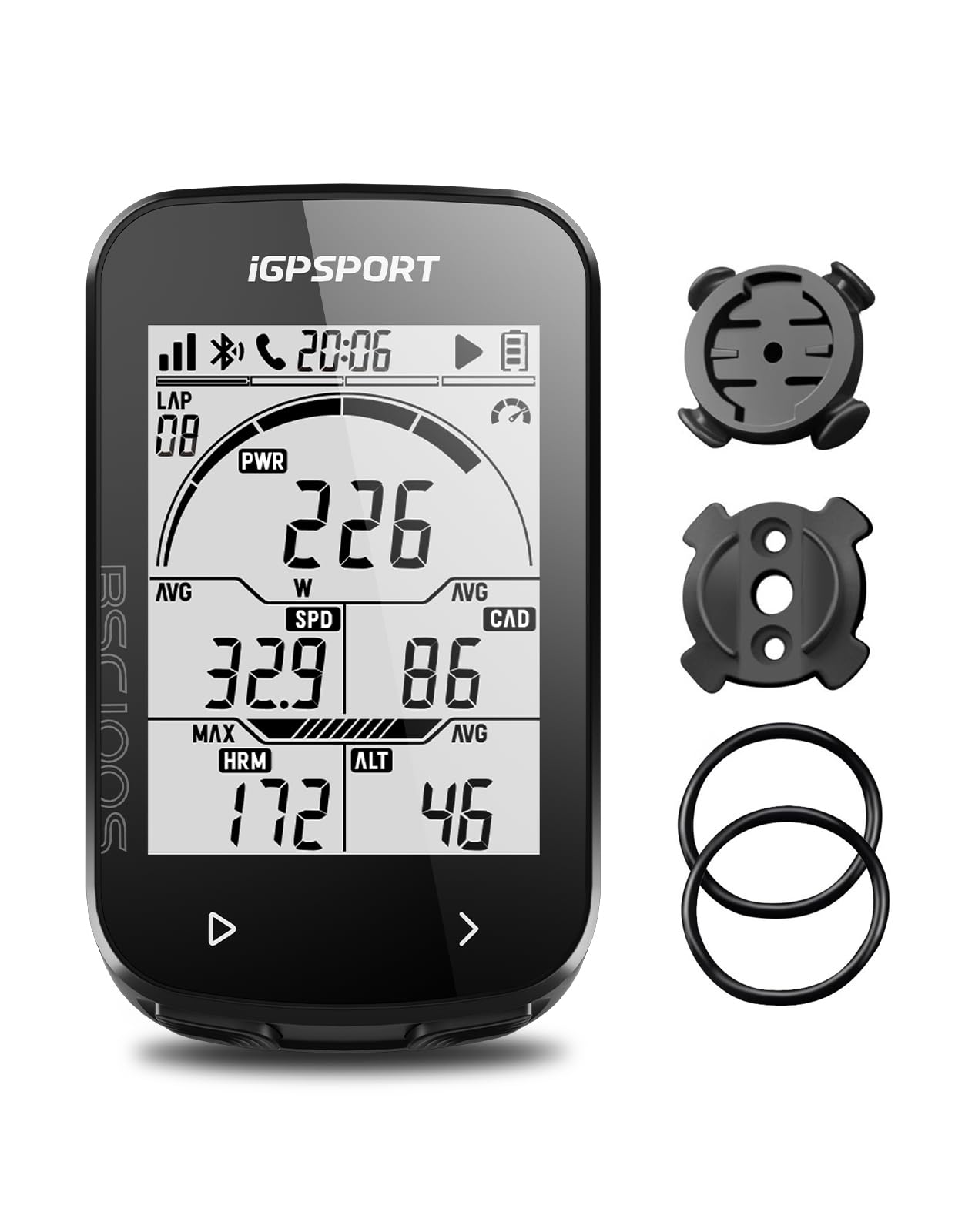
iGPSPORT BSC100S
Key Features
- Display: 2.6 inches
- Battery life: 40 hours
- Connectivity: ANT+, Bluetooth
- Waterproofing: IPX7
- Price: Budget
Every rider ends up with a second bike, and the BSC100S is the computer for it: cheap enough not to baby, capable enough that you don’t feel punished for leaving the good unit at home.
The screen is a genuine surprise at this price — 2.6 inches of anti-glare LCD with an automatic backlight, larger than the Wahoo’s — and the data set runs past 40 fields, including gradient, cadence, calories and temperature. GPS means no magnet, no spoke sensor and no wheel circumference to get wrong.
Runtime is a listed 40 hours over USB-C, the body is IPX7, and sensors pair over ANT+ or Bluetooth. Setup happens in the iGPSPORT app, where rides also go out to Strava and Komoot. Satellite lock has been quick from a standing start, and the buttons are big enough to work with gloves.
For recording numbers and nothing else, it’s the least precious computer here — the one we mind least about leaving on the bike, and the one that makes a second bike feel properly equipped.
Pros
- 2.6-inch anti-glare screen with backlight
- 40+ data fields including gradient and temperature
- 40-hour battery and IPX7 body
- ANT+ and Bluetooth sensor pairing
Cons
- No charging cable in the box
- No map or route guidance
We keep coming back to it for second bikes: a big, readable screen and full GPS ride data for very little money.
Best for Affordable Mapping
GEOID CC600

Key Features
- Display: 2.4 inches
- Navigation: GPX route navigation
- Positioning: Five satellite systems
- Battery life: 24 hours
- Price: Budget
Turn prompts that zoom in and pop up as the junction arrives are the detail we noticed first on the CC600. It’s a small thing, and on a 2.4-inch screen it’s the right call: you get the cue you need without trying to read a map at speed.
The rest of the package is more than the price suggests: color route navigation from GPX files, WiFi for syncing rides and updating firmware without a cable, five satellite systems with assisted positioning for a fast first fix, and connections for eight sensors including Di2 and eTap shifting and a radar tail light.
The listed runtime is 24 hours, which covers a couple of long rides and a week of short ones, and the color screen is glass rather than plastic — worth having on a unit that lives outdoors.
The menus are where it shows its price. Pages are configured through a tangled settings tree, and the first hour goes on exploring rather than riding; do that at home with the app open. Past that, the CC600 is the cheapest way here to navigate with a color screen and turn prompts — a genuinely useful computer for riders who’d rather spend the difference on the trip.
Pros
- Color route navigation with turn prompts
- WiFi sync and cable-free firmware updates
- Five satellite systems with fast assisted fix
- Eight sensor connections including shifting
Cons
If you want color mapping and turn prompts without the premium outlay, the CC600 delivers — as long as you’re willing to spend an hour in its menus.
How We Tested the Best Cycling Computers
We started by pulling together every unit a serious recreational rider might realistically buy — road, gravel, and commuting — then filtered by price, display size, and whether it paired with both ANT+ and Bluetooth sensors. From that pool we bought nine and rode them for seven months.
Each unit got set up from scratch twice: once at a kitchen table with the manual open, once in a driveway with cold hands and no patience. We timed how long it took to pair a speed sensor, a cadence sensor, a heart rate strap, and a power meter, and noted the exact points where the instructions left us guessing. Then we watched what happened over the following weeks — whether a sensor dropped out mid-ride, whether the ride uploaded to the phone app on the first try, and how many taps it took to start a workout or swap a data field with gloves on.
On the bike, we ran a known 12-mile loop and compared distance and elevation against a wheel-measured baseline, then repeated the same climb to see whether the numbers held steady or wandered. We rode in hard midday sun and again at dusk to judge glare and contrast, and had riders with different eyesight report whether they could read four fields at a glance. A wet spring handled the durability question, and washboard gravel told us which mounts stayed put. We also weighed what the extra money bought: mapping, touchscreens, longer battery, or simply a larger screen wrapped around the same internals.
How to Choose a Cycling Computer
Decide whether you need directions or just numbers before you look at a single specification, because that one answer sets the price and the rest of the shopping list.
Navigation or numbers?
This is the fork that decides the price more than anything else. A computer that shows speed, distance, time and heart rate is a data logger. A computer with maps also tells you where to go, and those are genuinely different purchases. A GPS chip on its own doesn’t make something a navigator — several units here will record a track you can look at afterwards without ever putting a route on the screen.
If you ride the same roads and want the numbers, a data-only unit such as the Cateye Velo 7 or the iGPSPORT BSC100S is all the computer most riders need. If you explore, or you ride events on unfamiliar roads, pay for the maps.
Where the speed actually comes from
Three methods, three behaviours. A wheel sensor counts magnet passes, so it stays consistent under trees, in tunnels and on a trainer, provided the circumference is entered correctly; measure a rollout rather than trusting the number on the sidewall. A GPS unit skips the installation entirely but can drift in dense canopy and loses the plot briefly underground. Multi-band GNSS, as on the Edge 540 and the BSC500, holds a fix better in valleys and between buildings.
Match the method to your riding and the accuracy question mostly answers itself.
Screens, buttons and reading at speed
A bigger screen isn’t automatically easier to read. Contrast in direct sun and the number of fields you’ve crammed onto the page matter more — four numbers you can see beat twelve you can’t. Touchscreens are lovely in dry weather and maddening with rain on the glass; physical buttons work through gloves and wet hands, which is why the Edge 540 and the Wahoo stay button-first.
Set your pages before your first ride and delete the fields you never look at. Most of us settle on three or four.
Battery and mounting
Runtime figures are usually quoted in the most demanding mode the maker can defend, so read both numbers: the Edge 1050 runs 20 hours hard and 60 in saver mode. Decide which of those matches your longest ride rather than the average one. Coin-cell computers run for years and never need a cable, which is exactly right for a commuter.
Mounting is the other half of the decision. Check that the unit clicks home firmly, use the tether where one is supplied, and re-check it after a rough descent — a computer that works loose is a computer you lose.
Frequently Asked Questions
Do I still need a cycling computer if I ride with my phone?
Not for maps, if your phone already does that well. You probably do need one for battery: a screen on and GPS running drains a phone in a few hours, which is exactly when you want it charged for the ride home or a call.
The practical split is a cheap data-only computer on the bar for speed, distance and heart rate, with the phone in a pocket for navigation at stops. That arrangement costs less than a spare battery pack and keeps the phone at full charge.
Will my heart-rate strap or power meter pair with these computers?
Check the protocol, not the brand. Sensors talk over ANT+ or Bluetooth, and the computer’s own listing says which it supports — the COOSPO, the two iGPSPORT units, the Wahoo and the Garmins all handle ANT+ and Bluetooth, while the wired Cateye pairs with nothing at all.
A Bluetooth-only strap needs a head unit with Bluetooth, and an older ANT+-only power meter needs ANT+. If your strap’s listing names only one of the two, buy a computer that names the same one.
Can I use one computer on two bikes?
Yes, and it’s the easiest upgrade in cycling. A GPS unit only needs a second bracket on the other bar, so buy the spare mount when you buy the computer and leave it fitted.
A wheel-sensor computer is fussier: each bike needs its own sensor, magnet and cable routing, which is why the Cateye Velo 7 works best as a dedicated unit on one machine. Swapping a GPS head unit takes seconds; swapping a wired sensor does not.
Final Verdict
The Garmin Edge 540 is the computer we recommend to most riders. It lasts a week between charges, its multi-band positioning holds under cover, and its buttons work when your hands don’t. Nothing else here balances navigation, runtime and dependability as well.
Buy the Edge 1050 instead if the screen is what you’ll enjoy most — it’s the biggest and brightest here, with the deepest mapping tools. For maps at a fraction of that outlay, the iGPSPORT BSC500 is the value answer, and for pure numbers the Cateye Velo 7 will run for years without a cable.